Requesting Shopify API Permissions Dynamically in an Embedded App
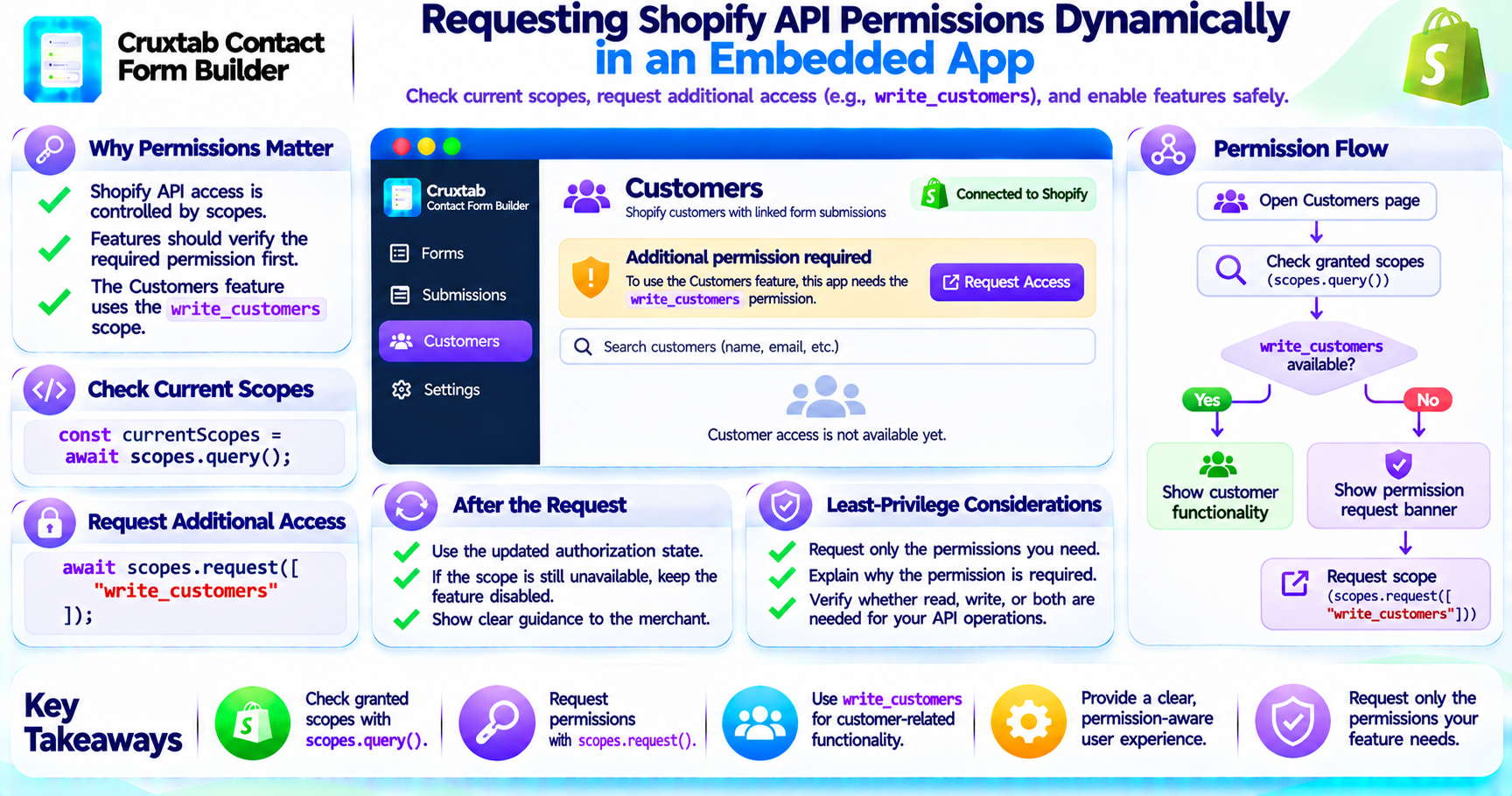
A Shopify application may need additional API permissions as new features are introduced.
Instead of assuming every permission is already available, an application can check its current granted scopes and guide the merchant through requesting additional access.
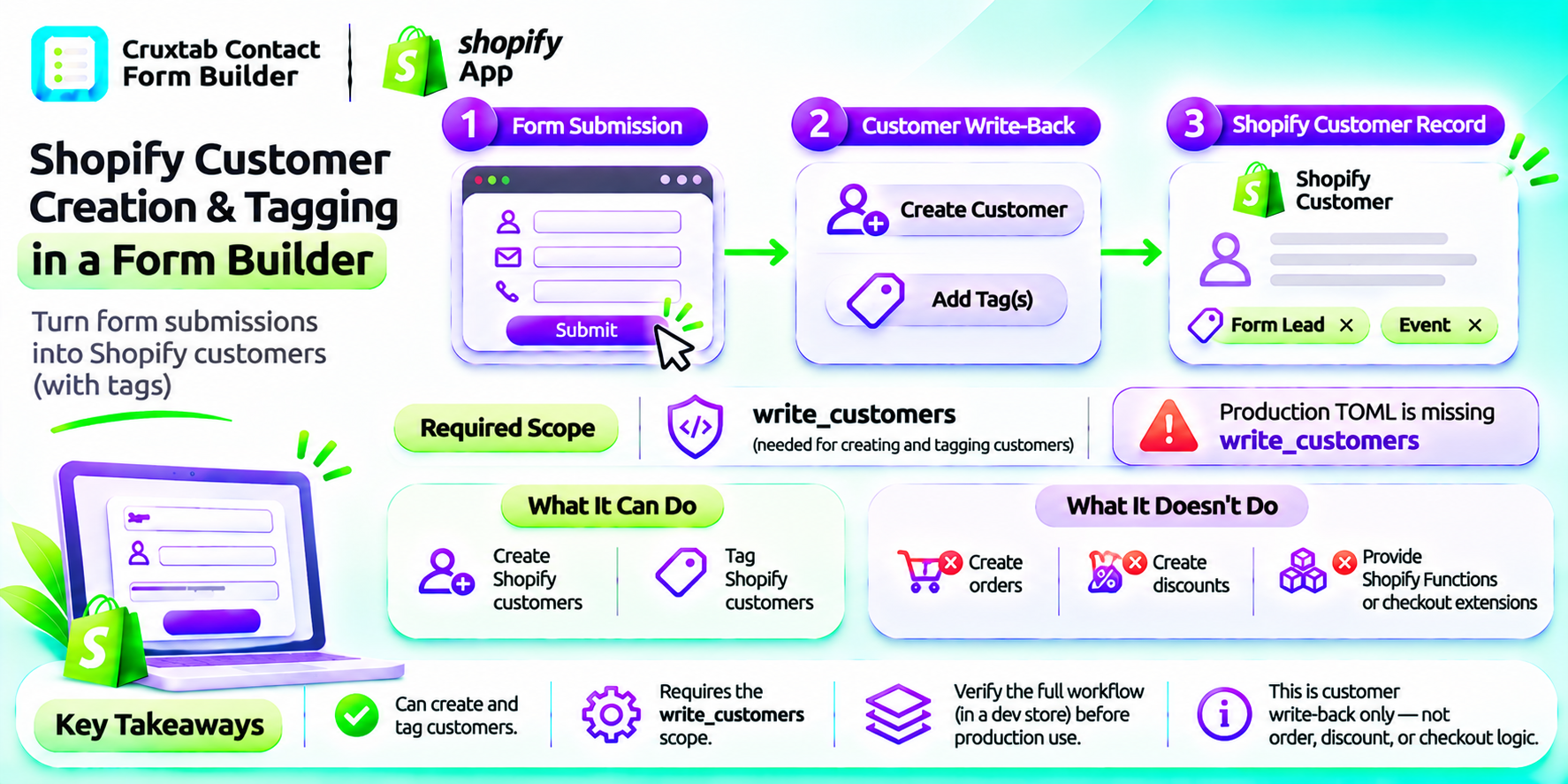
The Customers feature uses this approach for the write_customers scope.
Why permissions matter
Shopify API access is controlled through application scopes.
A feature that depends on a particular permission should verify that the application has the required access before attempting the related operation.
For customer functionality, the specification identifies the write_customers scope.
Checking current scopes
The implementation uses the scope query functionality:
const currentScopes = await scopes.query();
This allows the application to inspect the scopes currently associated with its session.
The Customers page can use this information to determine whether the required permission is available.
Requesting additional access
The feature includes a request_write_scope intent.
The request uses:
await scopes.request(["write_customers"]);
This is the permission request identified in the feature specification.
The application can present a banner explaining why the additional scope is needed and provide an action for requesting it.
A permission-aware interface
A useful permission workflow looks like this:
Open Customers page
        |
        v
Check granted scopes
        |
        v
write_customers available?
      /       \
    Yes        No
     |          |
     v          v
Show customer  Show permission
functionality  request banner
                  |
                  v
             Request scope
The interface should make it clear why the permission is being requested.
Handling permission changes
After a permission request, the application should use the updated authorization state rather than assuming the request succeeded.
If the required scope is still unavailable, the relevant functionality should remain unavailable and the merchant should receive clear guidance.
Least-privilege considerations
Applications should request only the permissions needed for their functionality.
A permission request should explain its purpose and should not be hidden behind unrelated actions.
Developers should also verify whether the exact operations they perform require read access, write access, or both under the Shopify API version and authorization model being used.
Conclusion
Dynamic scope checking helps Shopify apps respond to changing permission requirements.
By checking existing scopes and requesting write_customers when needed, the Customers feature can guide merchants through enabling customer-related functionality.
Explore Cruxtab Contact Form Builder.
Comments
Join the discussionNo comments yet. Be the first to comment.