Shopify App Inventory: Separating Implemented Features from Open Risks
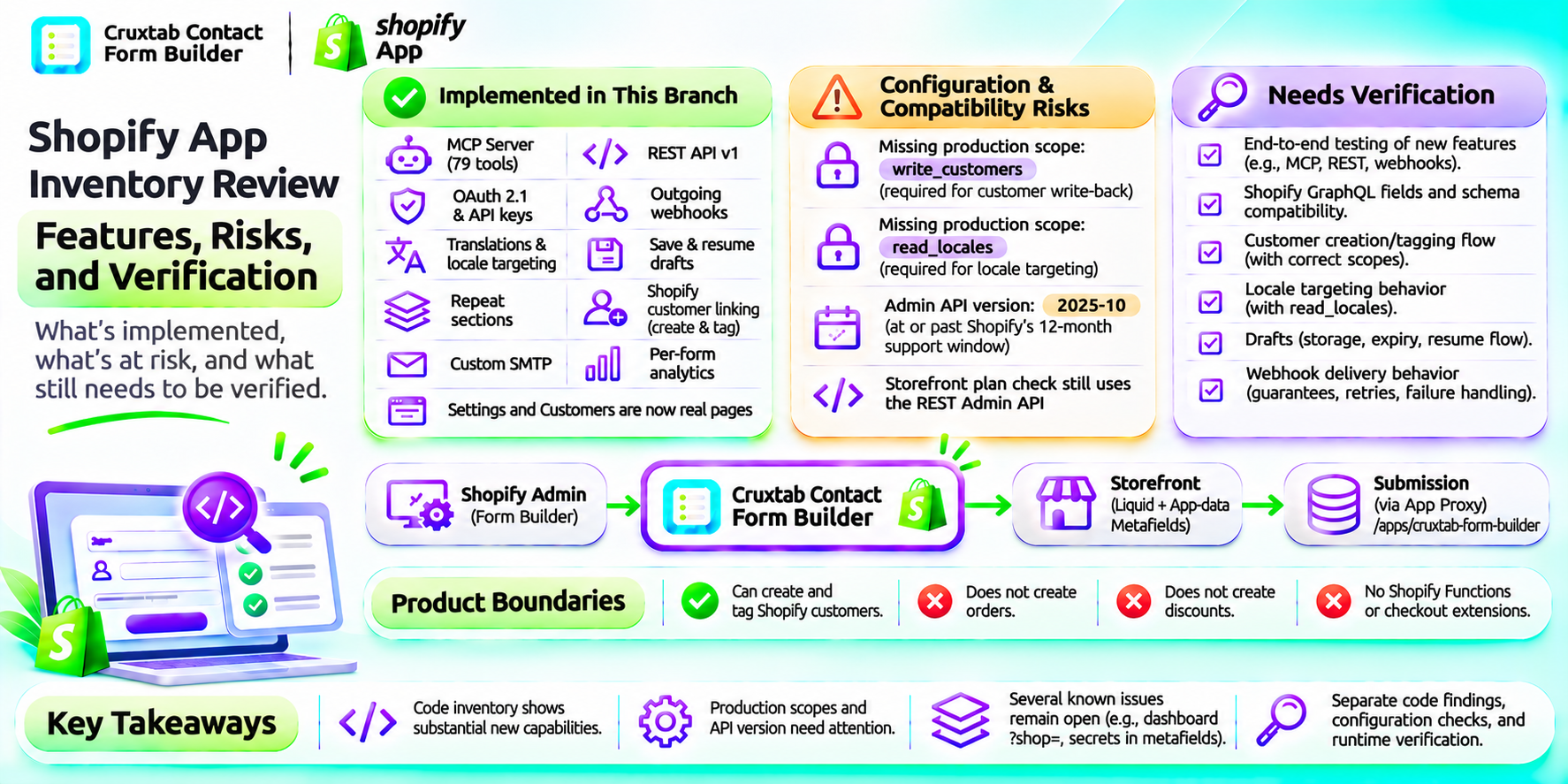
A code inventory is useful because it captures what a branch appears to contain. It is not the same as a runtime test, a schema validation, or confirmation that production configuration supports every feature.
Cruxtab Form Builder’s current inventory is especially useful when read as three separate lists: newly added capabilities, known configuration and compatibility concerns, and verification limits.
What changed since the earlier inventory
The branch adds several capabilities:
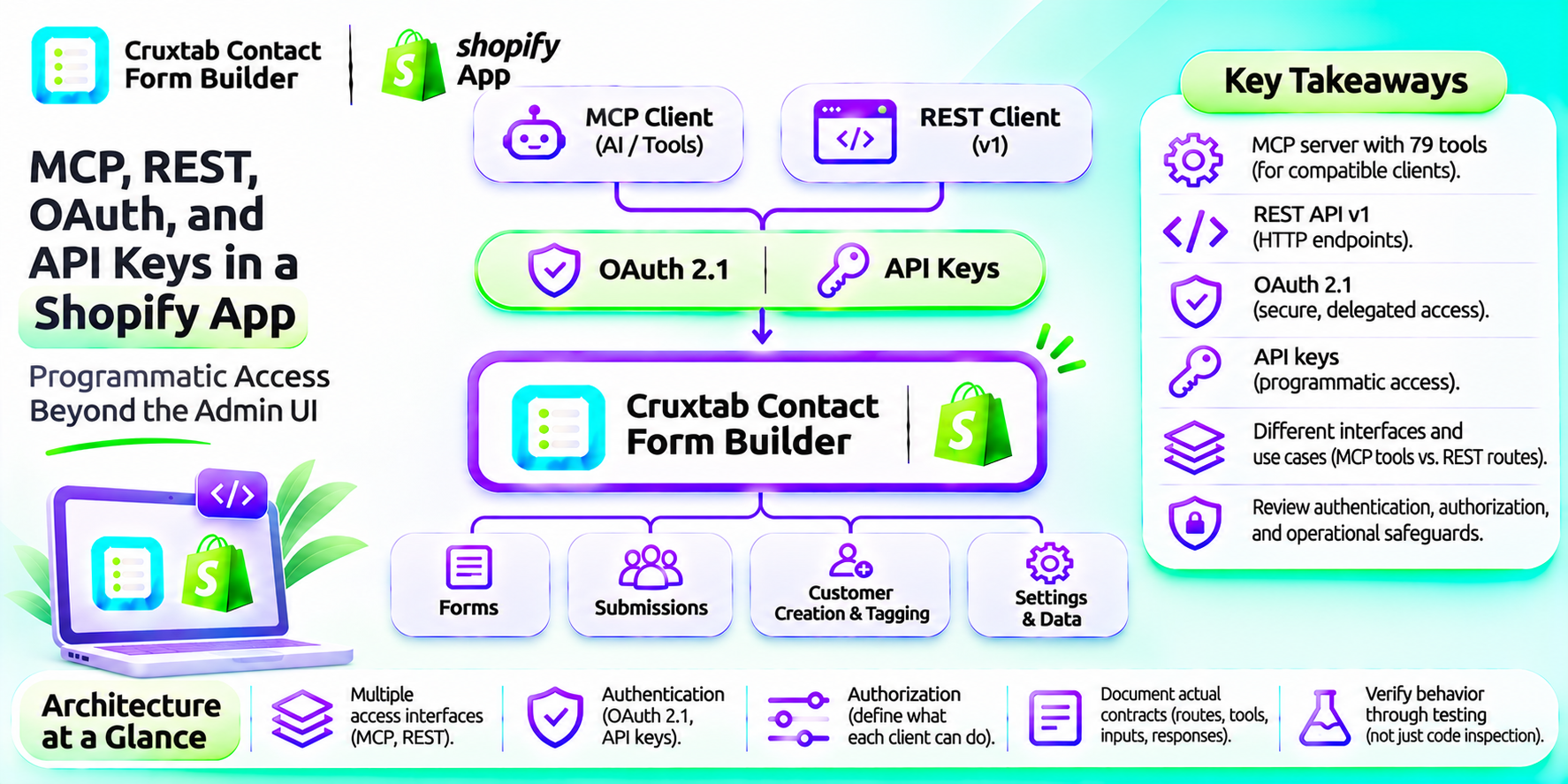
- MCP server with 79 tools
- REST API v1
- OAuth 2.1 and API keys
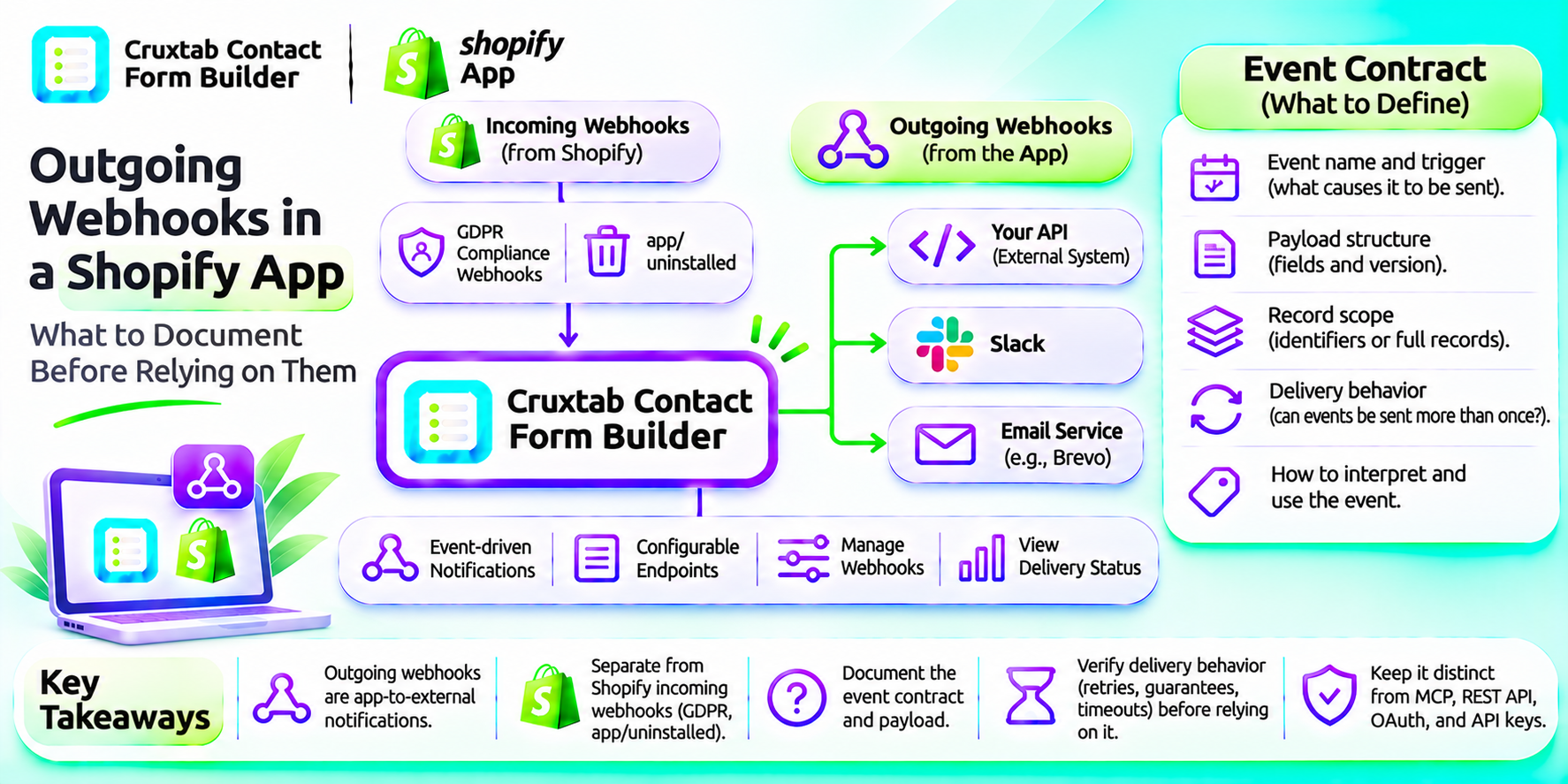
- Outgoing webhooks
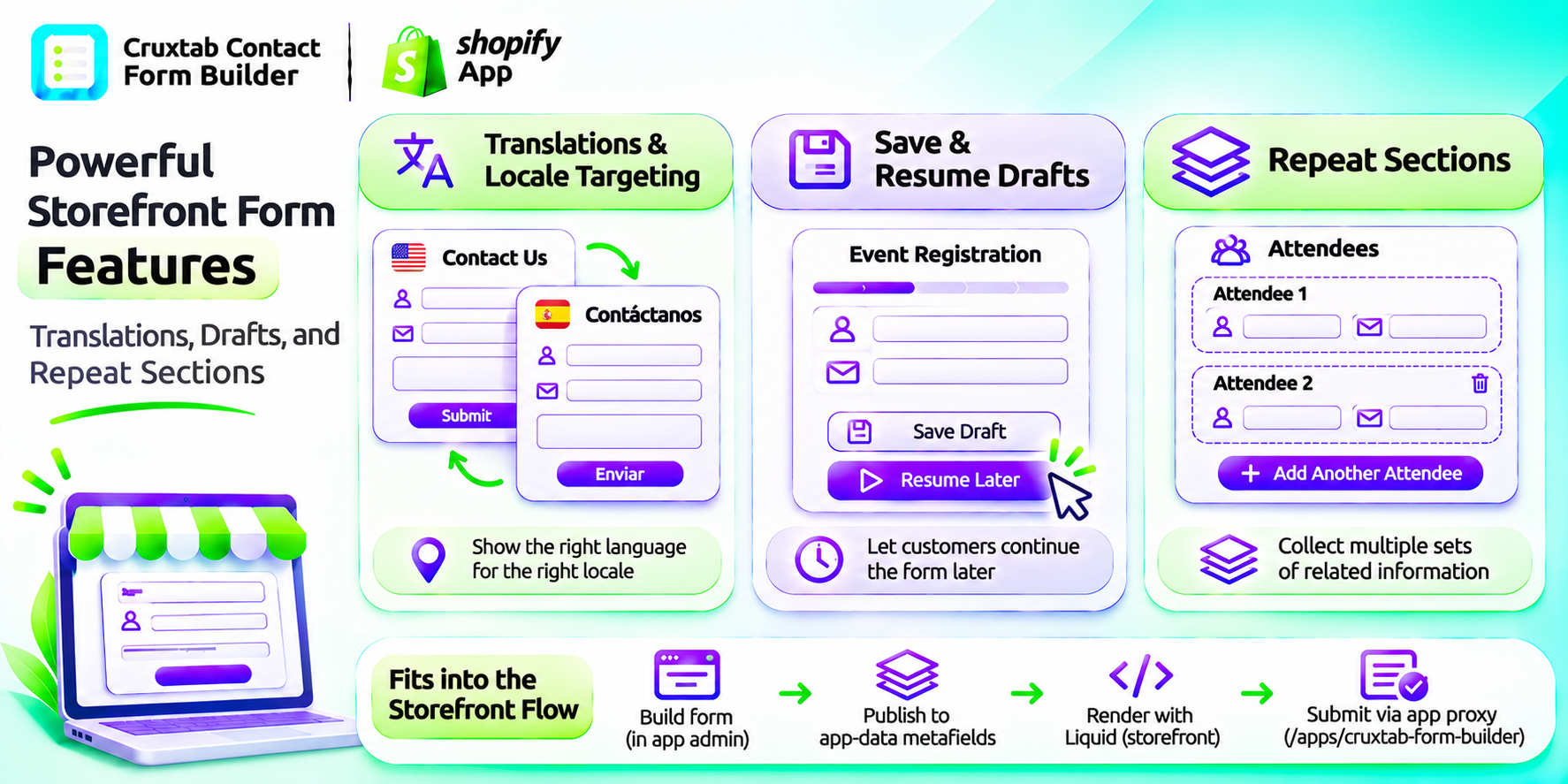
- Translations and locale targeting
- Save-and-resume drafts
- Repeat sections
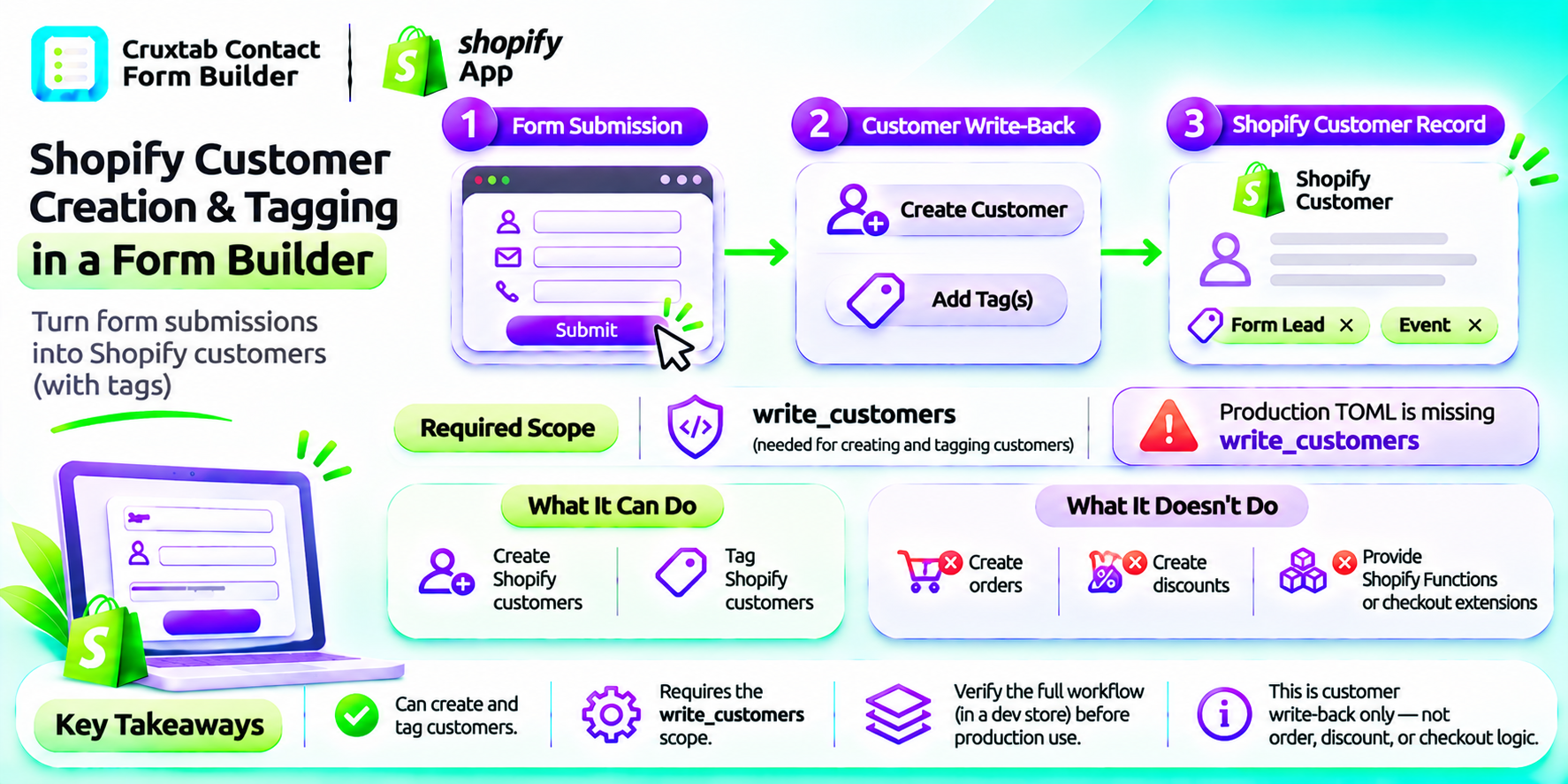
- Shopify customer linking
- Custom SMTP
- Per-form analytics
The inventory also says the Settings and Customers areas are now real pages. This is a useful example of distinguishing a feature’s presence in the code from a page or workflow that was previously not implemented.
Production configuration is a separate concern
The inventory identifies two missing production TOML scopes:
write_customers, needed for customer write-backread_locales, needed for locale targeting
Those gaps should be documented separately from the feature implementation. A code path may exist, while the production app configuration still lacks the required access.
API version and storefront plan-check concerns
The code still uses Admin API version 2025-10. The inventory states that this version is at or past the end of Shopify’s 12-month support window.
It also notes that the storefront plan check still uses the REST Admin API. These are compatibility and maintenance concerns identified by the inventory; the inventory does not provide the result of a live Shopify API validation.
Open issues remain
Several issues from the September inventory remain, including:
- The dashboard
?shop=parameter - Secrets copied into storefront metafields
The inventory refers to these as open issues. Their precise impact and remediation are not described here, so they should be tracked against the source issue details rather than expanded into unverified claims.
Product boundaries still matter
The app can create and tag Shopify customers, but it does not create orders or discounts. It also has no Shopify Functions or checkout extensions.
These explicit boundaries prevent a common documentation mistake: assuming that customer-related Shopify API access means the app also supports broader commerce operations.
Code review is not runtime verification
The inventory was produced by reading the code. Nothing was run, and GraphQL fields were not validated against Shopify’s schema.
That caveat should travel with any conclusions drawn from the inventory. A source-code review can identify routes, tools, configuration, and likely dependencies, but it cannot by itself establish that a request succeeds in production or that every GraphQL field matches Shopify’s current schema.
A responsible follow-up process separates:
- Code-derived findings
- Production configuration checks
- Runtime tests
- Shopify schema and API compatibility validation
Conclusion
The inventory shows substantial expansion in programmatic access and form features, while also identifying production scope gaps, API-version concerns, and unresolved issues.
The most useful documentation is explicit about both sides: what the code inventory identifies and what still requires configuration review or runtime validation.
Explore the app: https://apps.shopify.com/cruxtab-form-builder
Comments
Join the discussionNo comments yet. Be the first to comment.