Validating Image Uploads with Content-Based File Type Detection
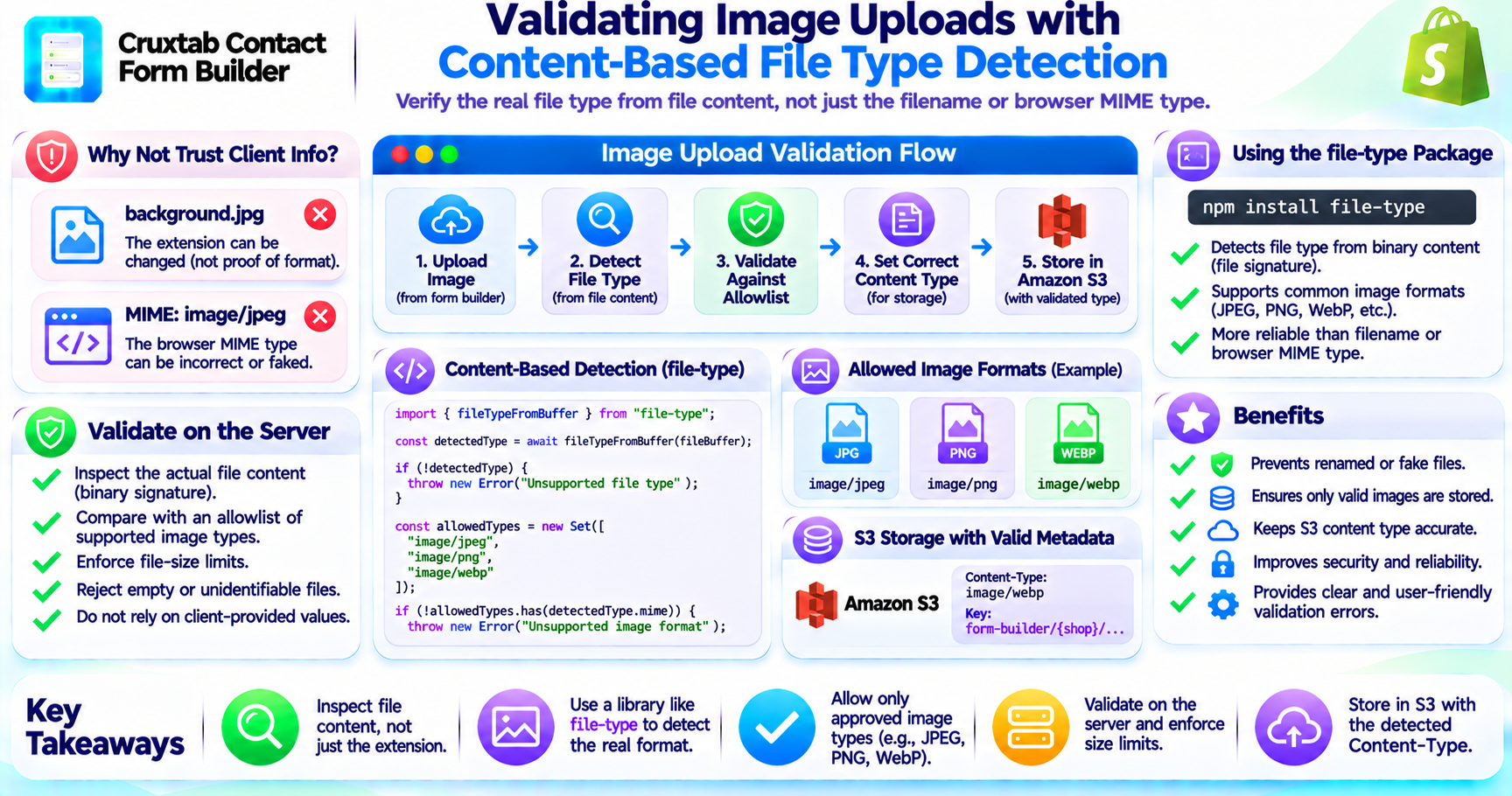
File upload validation is an important part of any application that accepts images.
A common mistake is to trust the filename extension or the MIME type supplied by the browser. These values are provided by the client and may not accurately describe the uploaded file.
A more reliable approach is to inspect the file content.
Why filename extensions are not enough
A filename such as:
background.jpg
does not prove that the uploaded content is actually a JPEG image.
A user could rename another file and upload it with a .jpg extension.
Similarly, the browser-provided MIME type is not sufficient evidence of the file's real format.
Content-based file type detection
The design image upload feature uses the file-type package to inspect file content.
The package can identify file formats from their binary signatures, rather than relying only on the filename.
A simplified example:
import { fileTypeFromBuffer } from "file-type";

const detectedType = await fileTypeFromBuffer(fileBuffer);

if (!detectedType) {
  throw new Error("Unsupported file type");
}
The exact API depends on the installed version of the package.
Validate against an image allowlist
After detecting the file type, an application should compare the result with its accepted image formats.
For example:
const allowedTypes = new Set([
  "image/jpeg",
  "image/png",
  "image/webp"
]);

if (!allowedTypes.has(detectedType?.mime)) {
  throw new Error("Unsupported image format");
}
This example illustrates an allowlist. The actual supported formats must match the application's configured policy.
Why validation belongs on the server
Client-side checks are useful for providing immediate feedback, but they can be bypassed.
Server-side content inspection allows the application to validate the actual uploaded bytes before storing the object.
A robust upload flow should also consider:
- Rejecting empty files
- Enforcing file-size limits
- Handling files that cannot be identified
- Avoiding trust in client-provided MIME types
- Returning clear validation errors
Content type and S3 metadata
After validation, the detected MIME type can be used when storing the object in S3.
This helps ensure that the object's metadata reflects the detected file format rather than an unverified client declaration.
Conclusion
Content-based file type detection helps prevent renamed or incorrectly labelled files from being accepted as images.
For Shopify form builders, validating uploaded bytes on the server is an important step before storing design assets in S3.
Explore Cruxtab Contact Form Builder.
Comments
Join the discussionNo comments yet. Be the first to comment.