Using Shopify Liquid Localization for Multilingual App Content
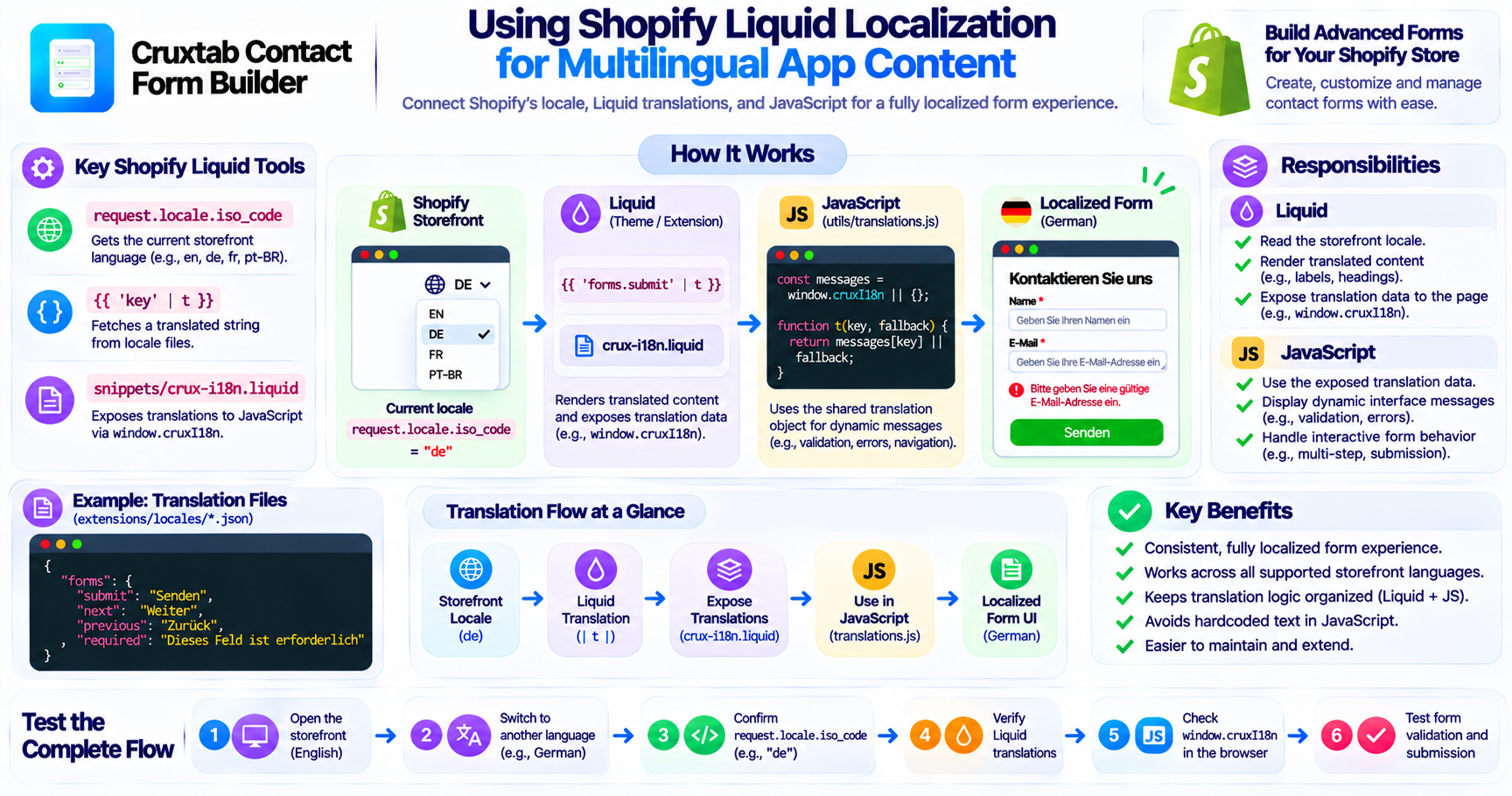
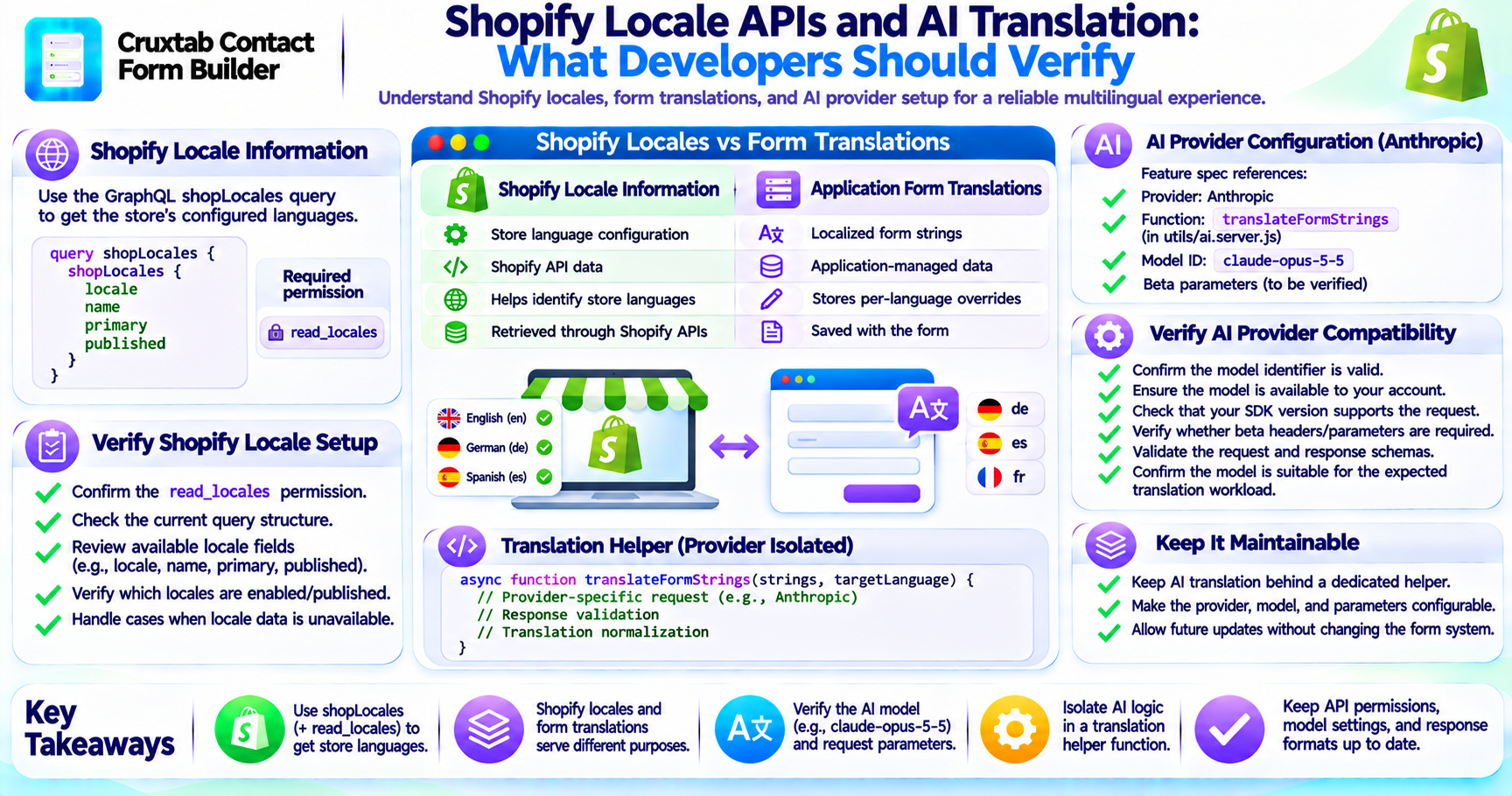
Shopify provides localization features that help themes and apps adapt content to the current storefront language.
For developers building multilingual app extensions, Liquid offers useful tools for identifying the current locale and displaying translated strings.
Cruxtab Contact Form Builder uses Shopify Liquid localization in its form-rendering implementation.
Getting the current storefront language
One important Liquid property is:
request.locale.iso_code
It provides the locale code associated with the current storefront request.
For example, the locale might be:
endefrpt-BR
This information can be used when selecting language-specific content.
In Cruxtab Contact Form Builder, the current locale is relevant to the language-targeting and translation behavior in the app block.
Using the Shopify translation filter
Shopify Liquid also provides the t filter for retrieving translated theme and extension strings.
A conceptual example looks like this:
{{ 'forms.submit' | t }}
The translation key is resolved using the relevant locale data available to the theme or extension.
This is useful for standard interface strings that should change with the storefront language.
Exposing translations to JavaScript
Not every part of a form is rendered entirely through Liquid.
Some interface behavior is managed by JavaScript.
Cruxtab Contact Form Builder uses:
snippets/crux-i18n.liquid
This snippet exposes the window.cruxI18n object.
The purpose is to make translation data available to storefront JavaScript.
The implementation also uses:
utils/translations.js
This separates translation-related logic from the rest of the storefront behavior.
Why a shared translation object helps
A JavaScript-based form can display messages dynamically.
For example, a validation message may only appear after a customer submits an incomplete form.
If JavaScript uses hardcoded English messages, the storefront could show translated form labels alongside English validation messages.
A shared translation object helps avoid this inconsistency.
Conceptually:
const messages = window.cruxI18n || {};

function getMessage(key, fallback) {
  return messages[key] || fallback;
}
This is illustrative code, not the exact implementation of utils/translations.js.
The actual object structure and keys should follow the application's translation files.
Keep Liquid and JavaScript responsibilities clear
A multilingual storefront extension may use both Liquid and JavaScript.
A practical separation is:
Liquid
- Read the storefront locale.
- Render translated Liquid content.
- Expose translation data to the page.
JavaScript
- Use the exposed translation data.
- Display dynamic interface messages.
- Handle interactive form behavior.
This division helps keep translation responsibilities organized.
Avoid hardcoded interface messages
Hardcoded strings can easily become a maintenance problem.
For example:
alert("Please enter a valid email address");
A localized implementation should retrieve the message from the appropriate translation source instead of embedding the text directly in the interaction logic.
The same principle applies to navigation messages, validation feedback, and other dynamic interface content.
Test the complete rendering path
Developers should test more than the locale file itself.
A useful verification process includes:
- Open the storefront in English.
- Verify the expected interface strings.
- Switch to another supported language.
- Confirm
request.locale.iso_codereflects the expected locale. - Verify Liquid translations.
- Inspect
window.cruxI18n. - Test JavaScript-generated messages.
- Submit invalid and valid forms.
This checks the complete path from locale detection to customer-visible content.
Conclusion
Shopify Liquid provides useful localization capabilities for app developers.
Cruxtab Contact Form Builder uses request.locale.iso_code, the Liquid t filter, and the crux-i18n.liquid snippet to support multilingual form rendering. Its JavaScript translation utility helps make localized messages available to interactive form behavior.
Explore Cruxtab Contact Form Builder.
Comments
Join the discussionNo comments yet. Be the first to comment.