Protecting API Credentials in Shopify App Integrations
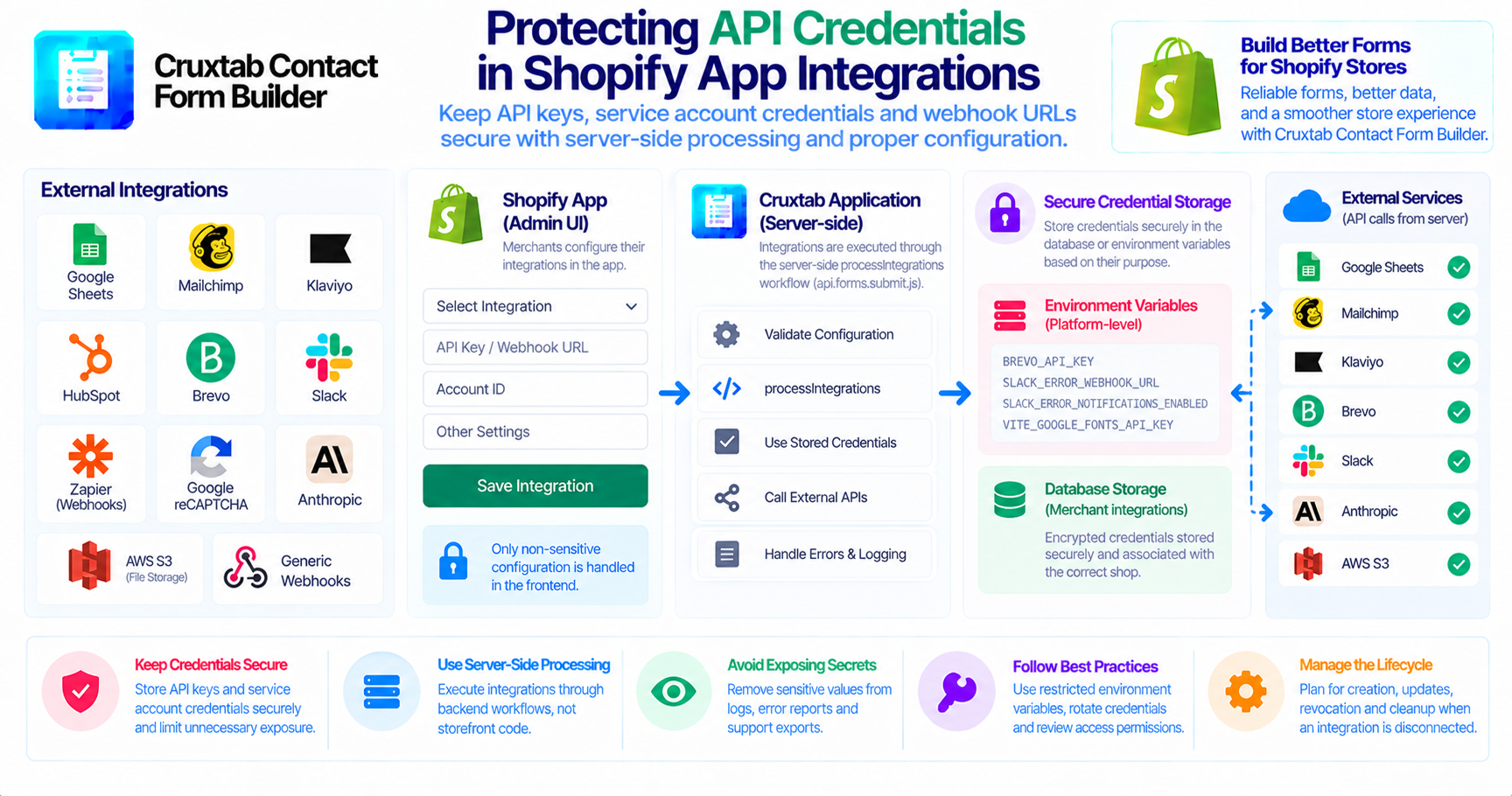
A form builder may connect to several third-party services. Each service can require its own credentials, webhook URL, or API key.
These credentials allow an application to communicate with external systems, but they also introduce security responsibilities.
Why credentials need protection
An API key or service-account credential may provide access to business data or external operations.
If a credential is exposed, an unauthorized person may be able to use it outside the intended application workflow.
For this reason, credentials should be handled as sensitive configuration rather than ordinary form data.
Credentials across the Cruxtab ecosystem
Cruxtab Contact Form Builder uses several external services with different credential requirements.
Examples include:
- Google service-account credentials for Google Sheets.
- Merchant-configured credentials for marketing integrations.
- Slack incoming webhook URLs.
- Brevo transactional email API credentials.
- Anthropic API credentials.
- AWS S3 access configuration.
The exact storage method for each credential should be confirmed from the relevant implementation.
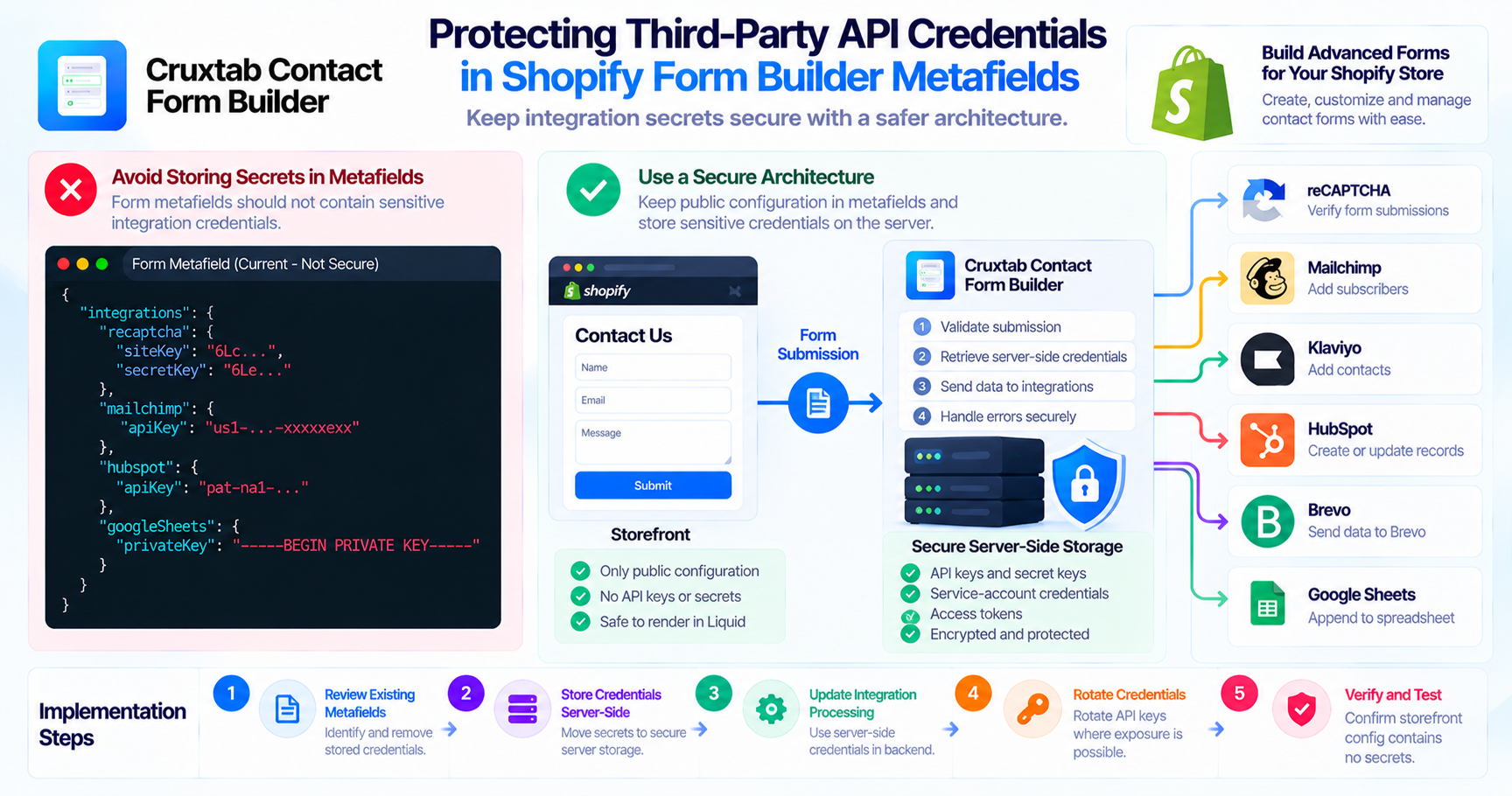
Keep sensitive operations server-side
Cruxtab's merchant-configured integrations are executed through the server-side processIntegrations workflow in api.forms.submit.js.
This is an important architectural boundary because API credentials should not be placed in storefront scripts or exposed through public responses.
Frontend configuration should contain only the information required to render the integration settings and should not unnecessarily include secrets.
Environment variables and secret management
The platform-level services use environment configuration, including:
BREVO_API_KEY
SLACK_ERROR_WEBHOOK_URL
SLACK_ERROR_NOTIFICATIONS_ENABLED=false
VITE_GOOGLE_FONTS_API_KEY
The VITE_ prefix is important: frontend build tools commonly expose variables with this prefix to browser code. Therefore, a Google Fonts API key configured this way should not be treated as a private server-side secret.
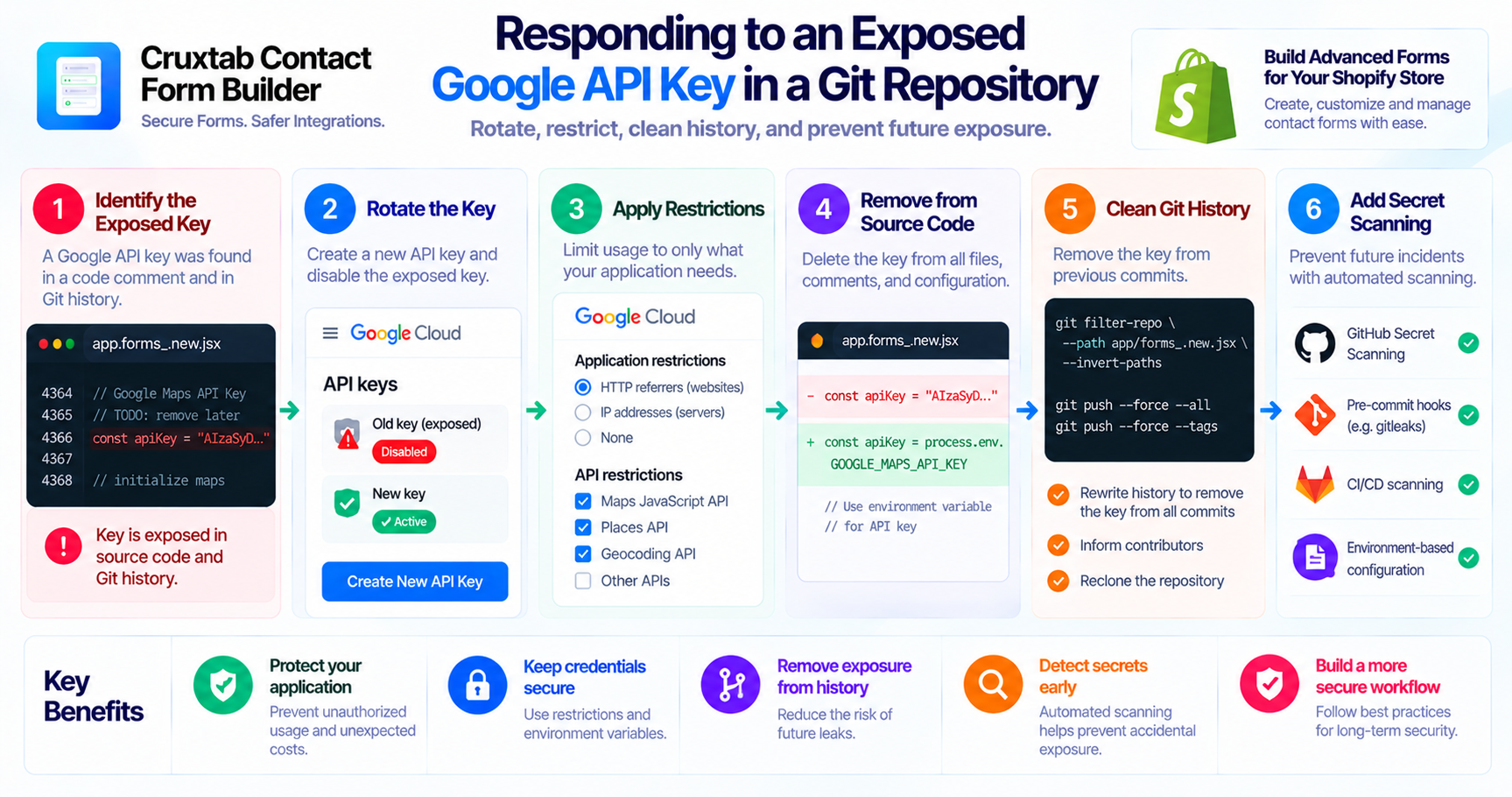
API keys should have appropriate provider-side restrictions and should never be committed to public source repositories.
Avoid exposing credentials in error reports
Error notifications can accidentally reveal secrets if raw request details, headers, or exception messages are forwarded to Slack.
Before sending diagnostic information, review what the error-reporting utility includes and remove sensitive values where appropriate.
The same principle applies to logs, database records, and support exports.
Review credential lifecycle
A secure integration should account for:
- Credential creation.
- Secure storage.
- Access restrictions.
- Credential updates.
- Revocation and rotation.
- Cleanup when an integration is disconnected.
Test these operations using dedicated development credentials before working with production accounts.
Conclusion
Protecting credentials is essential when building integrations with external services. Server-side execution, restricted environment configuration, careful error reporting, and deliberate credential lifecycle management help reduce unnecessary exposure.
Explore Cruxtab Contact Form Builder to learn more about its Shopify integration features.
- #api-security
- #shopify-apps
- #top-shopify-apps
- #best-shopify-apps
- #shopify-apps-to-boost-conversion-rate
- #shopify-apps-for-ecommerce
- #shopifyappstorescraper
- #shopifyappstoredatascraping
- #scrape-shopifyappstoredata
- #shopifyapps
- #developing-shopify-apps-using-laravel
- #secrets-management
- #backend-development
- #application-security
Comments
Join the discussionNo comments yet. Be the first to comment.