Managing Subscription-Based Integration Access in Shopify Apps
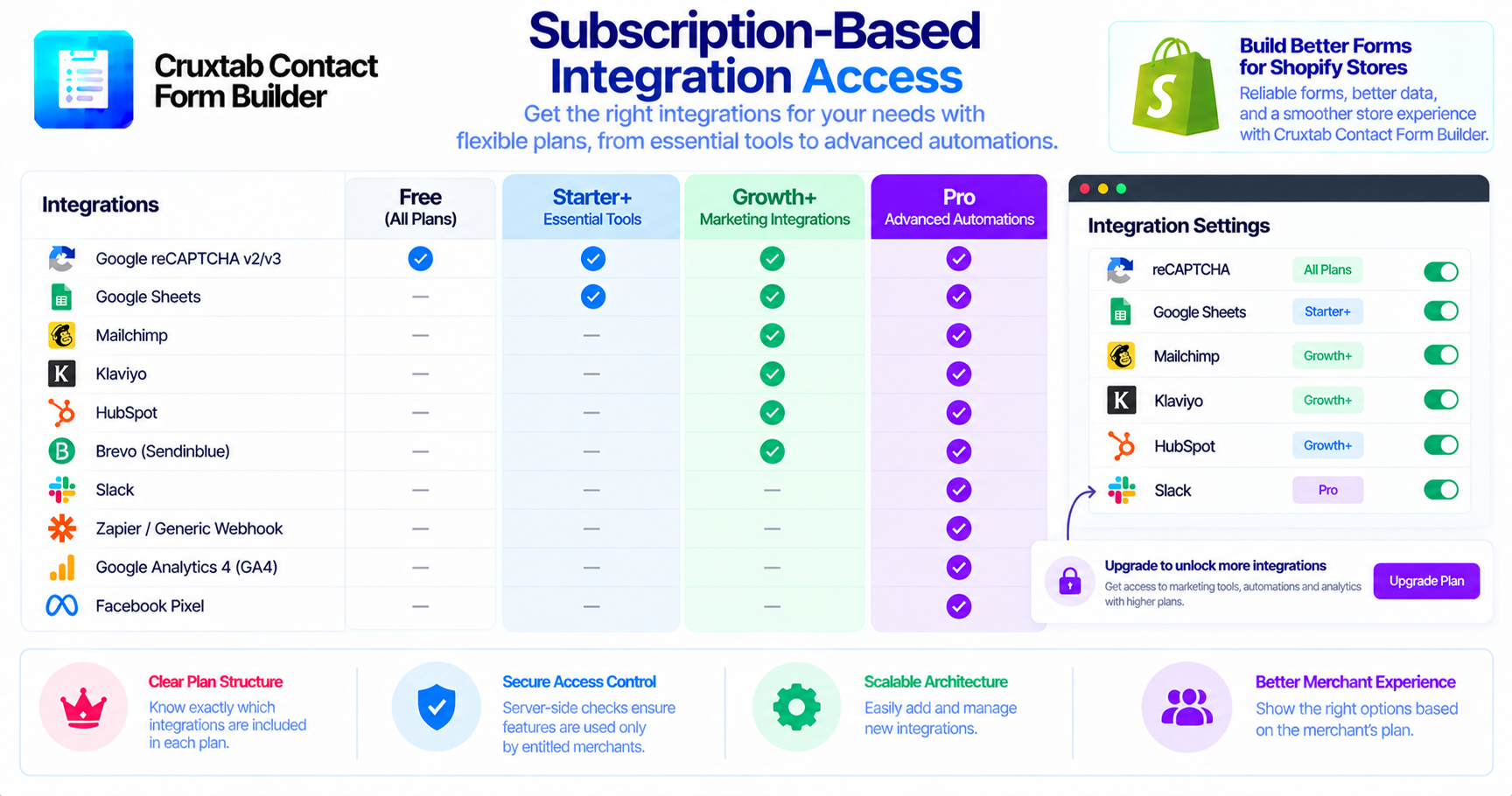
A Shopify app may provide different capabilities depending on the merchant's subscription plan. Some features can be available to every merchant, while advanced integrations may require an upgraded plan.
Managing these entitlements consistently is an important part of subscription-based application design.
Why plan-based access matters
Plan-based feature access helps define the capabilities included in each subscription.
For example, a merchant may need basic CAPTCHA protection on a free plan but require a higher tier to connect a form to a marketing platform or automation service.
A clear entitlement model makes those differences easier to communicate and enforce.
Cruxtab integration availability
The integration plan configuration includes these requirements:
| Plan requirement | Integrations |
|---|---|
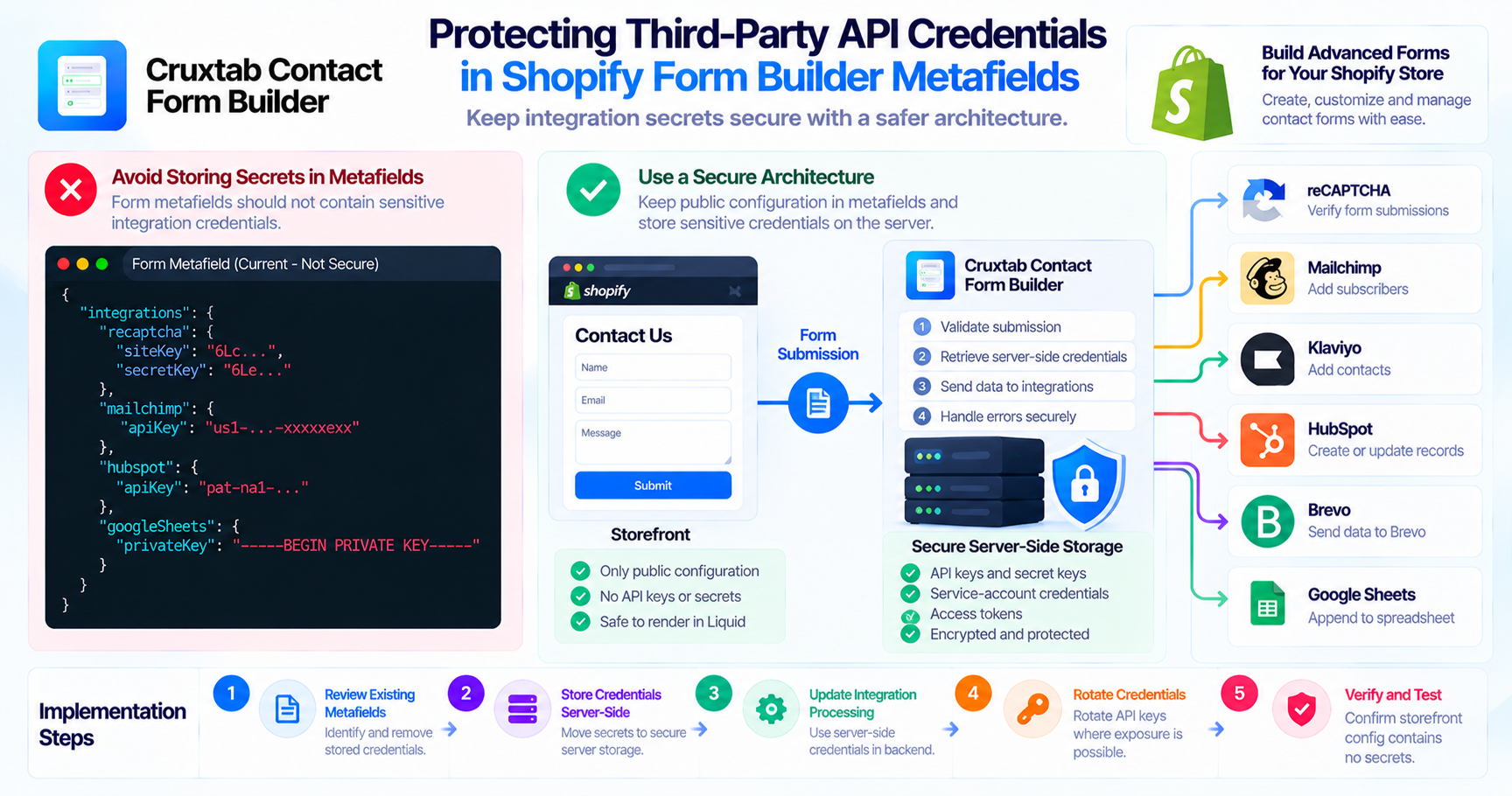
| All | reCAPTCHA v2/v3 |
| Starter+ | Google Sheets |
| Growth+ | Mailchimp, Klaviyo, HubSpot, Brevo |
| Pro | Slack, Zapier / Generic webhook, GA4, Facebook Pixel |
The + notation indicates that the feature is available from that plan upward.
Frontend visibility is not sufficient
A frontend can hide an integration setting when a merchant's subscription does not include it. However, frontend restrictions alone should not be treated as authorization.
The server-side submission process should also respect the merchant's actual entitlement.
Otherwise, a request could potentially attempt to use a feature that is not included in the selected plan.
Keep entitlements consistent
A plan entitlement system should have a consistent source of truth.
Useful design considerations include:
- Keeping plan requirements in a centralized configuration.
- Checking entitlements on the server.
- Handling subscription changes.
- Avoiding inconsistent plan labels between the UI and backend.
- Testing upgrades, downgrades, and expired subscriptions.
The precise billing and entitlement implementation should be verified separately from the integration list.
Test each plan boundary
For every integration, test the minimum plan that should include it and the plan immediately below that level.
For example, Google Sheets should be tested at Starter and the preceding tier. Growth integrations should be tested at Growth and Starter. Pro integrations should be tested at Pro and Growth.
This helps catch mismatches between frontend visibility and server-side access.
Conclusion
Subscription-based integration access is more than a pricing-page decision. It requires consistent entitlement checks across configuration and server-side execution.
A clear plan matrix helps merchants understand what is included while giving developers a reliable way to manage feature access.
Discover Cruxtab Contact Form Builder for Shopify form-building capabilities and integrations.
- #shopify-apps
- #top-shopify-apps
- #best-shopify-apps
- #shopify-apps-for-ecommerce
- #shopifyappstorescraper
- #shopifyappstoredatascraping
- #scrape-shopifyappstoredata
- #shopify-apps-to-boost-conversion-rate
- #shopifyapps
- #developing-shopify-apps-using-laravel
- #saas
- #subscription-billing
- #feature-flags
- #software-architecture
Comments
Join the discussionNo comments yet. Be the first to comment.