Implementing Client-Side CSV Export for Form Submissions
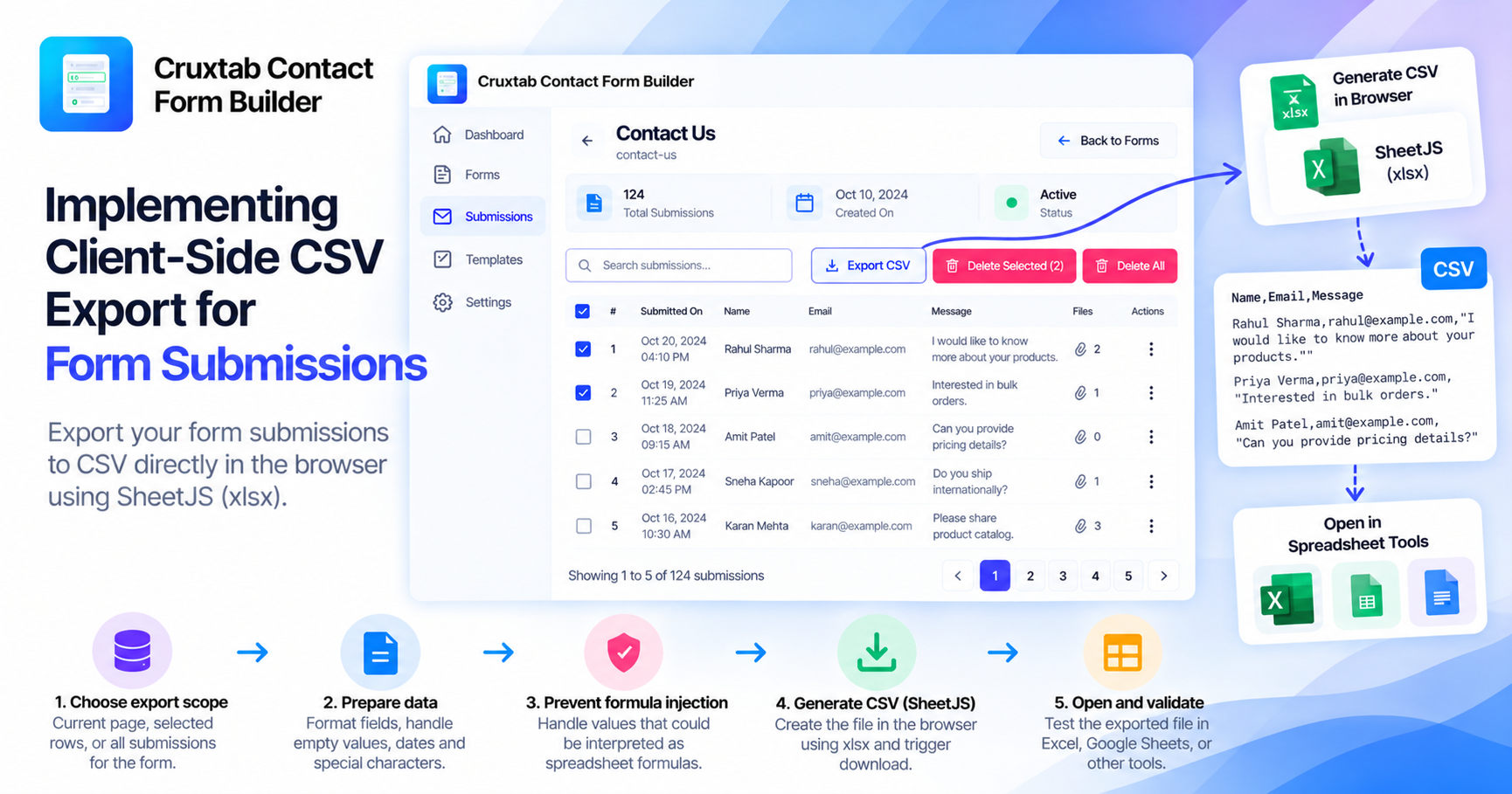
CSV export is a practical feature for applications that collect structured data. It allows users to move information from an admin interface into spreadsheet software or other tools without manually copying every field.
For a form builder, exporting submissions from an individual form can make collected responses easier to review and analyze.
Why CSV is useful
CSV stands for comma-separated values. It represents tabular information as rows and columns in a plain-text format that many spreadsheet applications can open.
A submission table might contain information such as:
| Name | Message | |
|---|---|---|
| Example Customer | customer@example.com | Product question |
| Another Customer | another@example.com | Order enquiry |
These values are illustrative. The actual columns should reflect the fields available in the selected form's submission records.
CSV is useful because it is widely supported and straightforward to generate. It also avoids requiring a specialized spreadsheet file format for a basic tabular export.
Choose the correct data to export
Before generating a file, define the export scope.
For a per-form submissions page, the export should correspond to the submissions associated with the selected form. Developers should decide whether the export includes every matching record or only the currently displayed page or selection.
These are different user experiences:
- Current page export: exports only rows currently displayed.
- Selected-row export: exports the records the user selected.
- Full-form export: exports all submissions in the selected form's scope.
The implementation should make the chosen behavior clear rather than leaving users to guess.
Generate the CSV in the browser
The feature described for Cruxtab Contact Form Builder uses client-side export and includes the xlsx package, also known as SheetJS.
A typical client-side workflow involves preparing the tabular data, converting it into a spreadsheet-compatible representation, generating CSV content, and initiating a browser download.
The important part is preparing consistent data before generating the file.
For example, developers should decide how to represent empty values, dates, multiline text, and fields with special characters. Values containing commas, quotation marks, or line breaks must be encoded correctly so they do not accidentally split into multiple columns or rows.
Account for spreadsheet formula injection
Form submissions may contain user-entered text. Some spreadsheet applications interpret certain cell values as formulas.
If untrusted form content is exported without suitable handling, a value beginning with a formula-triggering character may be interpreted unexpectedly when the file is opened.
Developers should consider spreadsheet formula injection when preparing exports and choose a mitigation appropriate to their supported spreadsheet applications and data requirements. Simply quoting CSV fields is not a complete defense against every spreadsheet interpretation issue.
Consider memory and performance
Client-side export is convenient because it can avoid a separate server-side file-generation workflow. However, the browser must still receive and process the data being exported.
For small and moderate datasets, this may be practical. For very large submission sets, loading all records into browser memory can affect performance.
If export volume grows, developers should evaluate pagination strategy, data retrieval limits, and whether a server-side or streamed export would be more appropriate.
Test the exported file
Testing should cover:
- Empty submissions.
- Special characters and commas.
- Multiline text.
- Unicode characters.
- Dates and empty fields.
- Large exports.
- User-entered content that could be interpreted as a spreadsheet formula.
A successful download is not enough. The resulting file should preserve the intended rows, columns, and values when opened in a compatible spreadsheet application.
Conclusion
Client-side CSV export makes form data easier to reuse outside a web application. Reliable results depend on choosing the correct export scope, formatting values consistently, protecting against spreadsheet interpretation risks, and testing the generated file.
Cruxtab Contact Form Builder includes client-side CSV export in its per-form submissions workflow: https://apps.shopify.com/cruxtab-form-builder
Comments
Join the discussionNo comments yet. Be the first to comment.