Handling Framework-Level and Caught Errors in React Router
Not every application error follows the same path. Some errors are unexpected and reach a framework-level handler. Others are caught by application code, where the developer may decide how to recover or respond.
Understanding this difference is important when building an error-reporting system that provides visibility across an application.
Two categories of errors
A useful starting point is to distinguish between unhandled errors and caught errors.
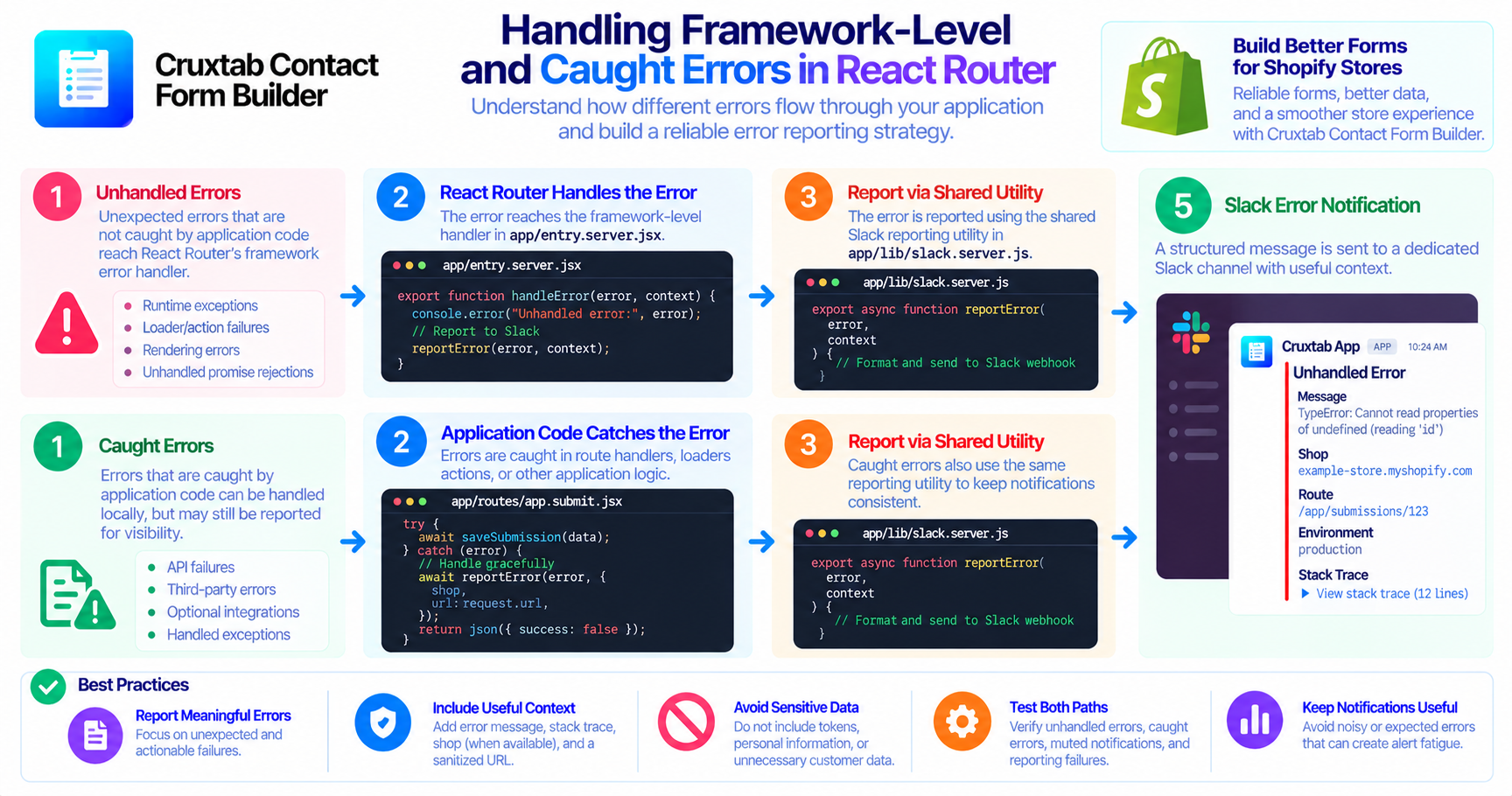
Unhandled errors are errors that reach a framework-level error-handling mechanism. They may indicate an unexpected failure during a request or rendering process.
Caught errors are intercepted by application code. Catching an error can prevent a failure from propagating, but it does not necessarily mean the underlying problem is unimportant.
For example, an application might catch a failed operation and return a fallback response. That may be the correct user experience, yet developers may still want to know that the operation failed.
The right reporting policy depends on the type of error, its impact, and whether the application can recover safely.
Using React Router's error handling
React Router provides an error-handling mechanism through handleError. In the Cruxtab Contact Form Builder implementation, the server entry point app/entry.server.jsx is one entry point for reporting unhandled errors.
A separate utility, app/lib/slack.server.js, supports Slack notifications for error reporting, including many caught errors.
Keeping these responsibilities distinct helps developers understand where an error originates and where its notification is handled.
It also creates an opportunity to standardize the information included in reports instead of building a separate notification format for every route.
Why caught errors still deserve attention
A caught exception can still reveal a real reliability problem.
Consider a background-like operation or optional integration that fails but does not prevent the main page from loading. Users might not see an obvious failure, but repeated errors could indicate an expired credential, an unavailable dependency, or a regression.
Reporting every caught exception indiscriminately, however, can create noisy channels. A good design distinguishes actionable failures from expected conditions.
Before adding a report, ask:
- Does this error represent an unexpected condition?
- Can the application recover safely?
- Is the error useful for diagnosing a real problem?
- Could the same failure generate a large number of repeated notifications?
These questions help keep alerts meaningful.
What should a report contain?
The error-reporting flow described for Cruxtab Contact Form Builder can include an error message, stack trace, shop context, and sanitized URL.
A stack trace can help locate the source of a failure. Shop context can help identify the affected tenant in a multi-shop application. A sanitized URL can help identify the route without unnecessarily retaining sensitive query parameters.
Reports should still be reviewed for secrets, tokens, personal data, and other sensitive values before they are sent to an external notification service.
Test both paths independently
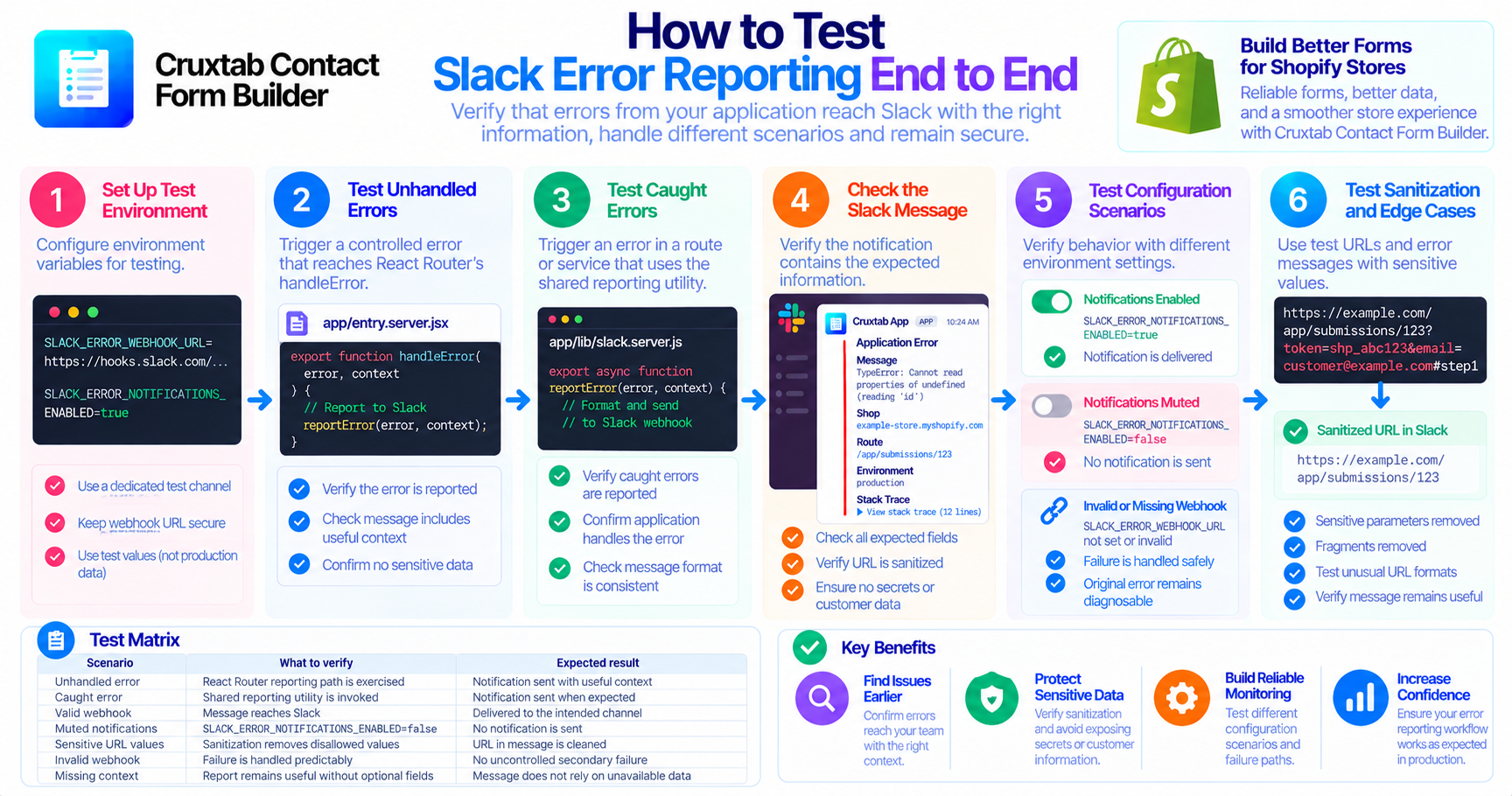
Testing only the framework-level handler is not enough when application code also reports caught errors.
A practical test plan should cover:
- An unhandled error reaching the React Router reporting path.
- A caught error being reported through the shared utility.
- Notifications being muted through configuration.
- Error reports containing useful context without exposing sensitive URL values.
- Reporting failures not creating a second uncontrolled failure.
The exact outcomes depend on the application's implementation, so tests should confirm actual behavior rather than assume it.
Conclusion
Reliable error reporting begins with understanding how errors travel through an application. Framework-level handling and caught exceptions serve different purposes, but both can provide valuable diagnostic information.
A deliberate reporting strategy makes those failures easier to investigate without treating every exception as an emergency.
Explore Cruxtab Contact Form Builder to learn more about form-building tools for Shopify merchants.
- #react-router
- #react-router-dom
- #react-router-6
- #react-router-errorboudaries-nestedroutes-404errorpage
- #react-router-4
- #react-router-v7
- #react-router-v6
- #react-router-domm
- #react-router-query-parameters
- #react-router-hash-link
- #javascript
- #javascript-framework
- #javascript-library
- #javascript-modules
- #javascript-interview-question
Comments
Join the discussionNo comments yet. Be the first to comment.