Designing Per-Bundle Performance Reports for Shopify
Store-wide sales numbers are useful, but they do not always explain which products or offers perform best.
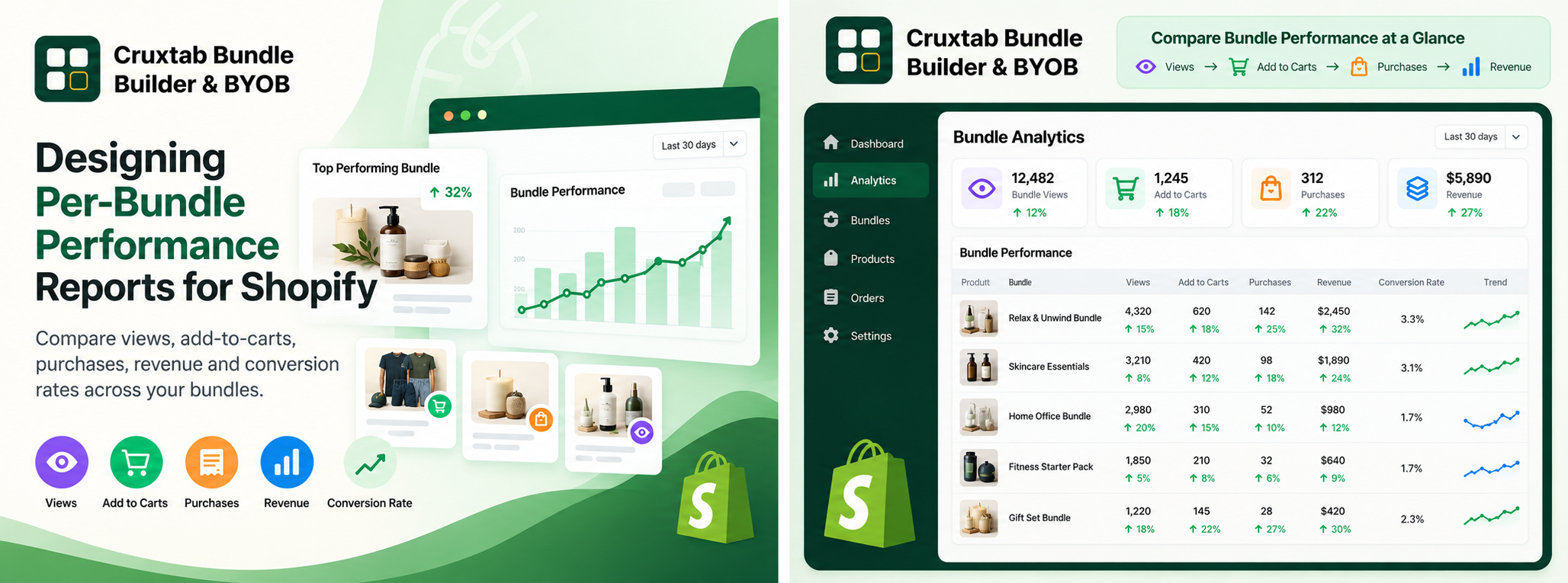
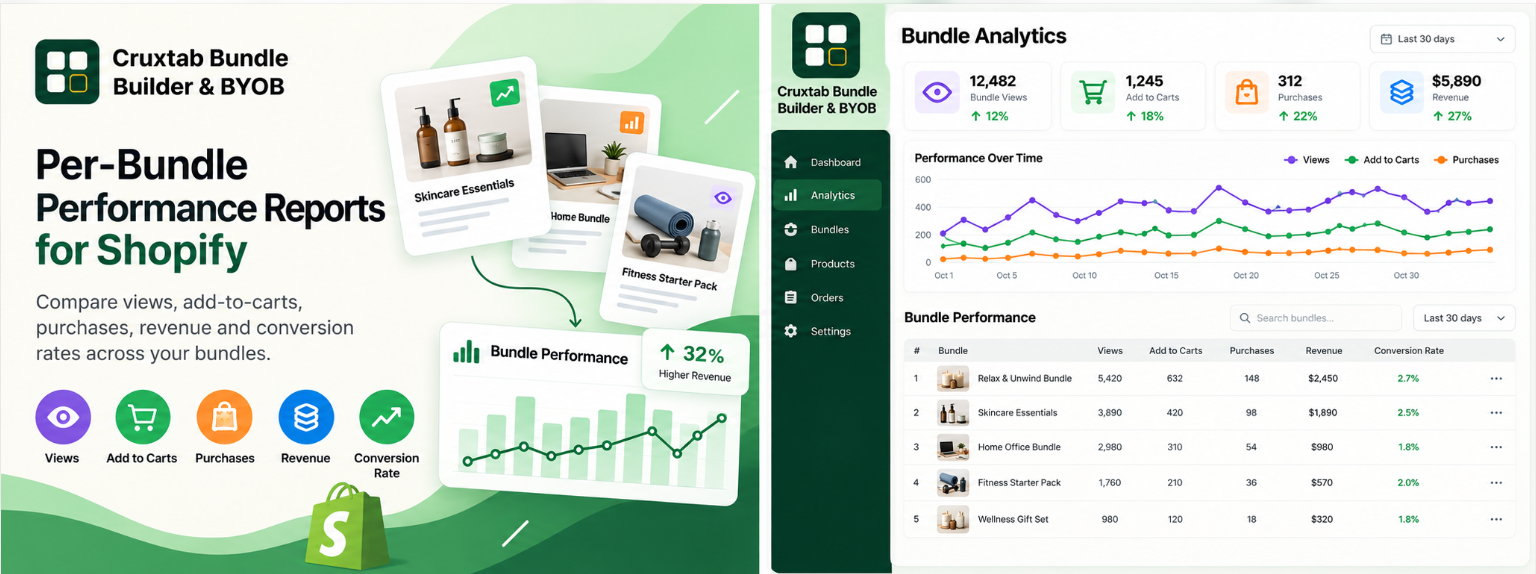
For merchants selling multiple bundles, a per-bundle performance table provides a more focused view. It allows them to compare engagement, purchase activity, revenue, and conversion rates across individual bundles.
The challenge is choosing metrics that are both meaningful and comparable.
Choose metrics that answer different questions
A bundle performance report can include several complementary measures:
- Views: How often shoppers view the bundle.
- Add-to-carts: How frequently shoppers express purchase intent.
- Purchases: How many qualifying purchases occur.
- Revenue: How much revenue is attributed to the bundle.
- Conversion rate: How effectively views lead to purchases under the chosen definition.
Each metric offers a different perspective. A bundle with the most views is not necessarily the bundle with the strongest conversion rate or the highest revenue.
Aggregate data by bundle
A reporting layer can group relevant analytics records by bundle identifier and calculate the metrics for each group.
Conceptually, the result might look like this:
const bundlePerformance = {
  bundleId: "bundle-123",
  views: 1200,
  addToCarts: 180,
  purchases: 36,
  revenue: 720,
};
These values are illustrative. The actual application schema and aggregation logic may differ.
The important part is that every row represents the same unit of analysis: one bundle over the selected reporting period.
Define ranking rules
A table may allow merchants to compare bundles by revenue, purchases, or conversion rate.
The ranking should identify which metric is being used. Otherwise, users may assume that the first row represents the best-performing bundle overall when it may simply have the most views.
Sorting should also be deterministic when multiple bundles share the same value.
Handle missing and low-volume data
A newly published bundle may have no purchases. A bundle with no views cannot have a meaningful view-to-purchase conversion rate.
Instead of displaying misleading percentages, the dashboard should use an explicit empty or unavailable state when the denominator is zero.
Low-volume data also deserves caution: a high conversion rate based on a handful of views may not indicate a durable trend.
Make the reporting period visible
Performance can change depending on the selected time window.
A 7-day report emphasizes recent activity, while a 90-day or 365-day report offers a broader perspective. The selected period should apply consistently to the table, summary metrics, and any associated charts.
Conclusion
Per-bundle reporting helps merchants move beyond store-wide totals and understand how individual offers perform.
Cruxtab Bundle Builder & BYOB provides a Pro analytics dashboard with a per-bundle performance table, conversion metrics, revenue, and a selectable reporting period.
Explore the app: https://apps.shopify.com/cruxtab-bundle-builder
The key lesson is to define the unit of analysis, explain the ranking metric, and avoid treating every performance indicator as interchangeable.
Comments
Join the discussionNo comments yet. Be the first to comment.