Configuring Slack Webhooks for Application Error Alerts
A Slack incoming webhook offers a straightforward way to send application notifications into a dedicated channel. For development teams, it can provide a convenient place to review error reports without requiring everyone to monitor server logs continuously.
The integration still needs careful configuration. A webhook URL is a secret, notifications need a clear purpose, and the application should behave predictably when alerts are muted.
How incoming webhooks fit into an application
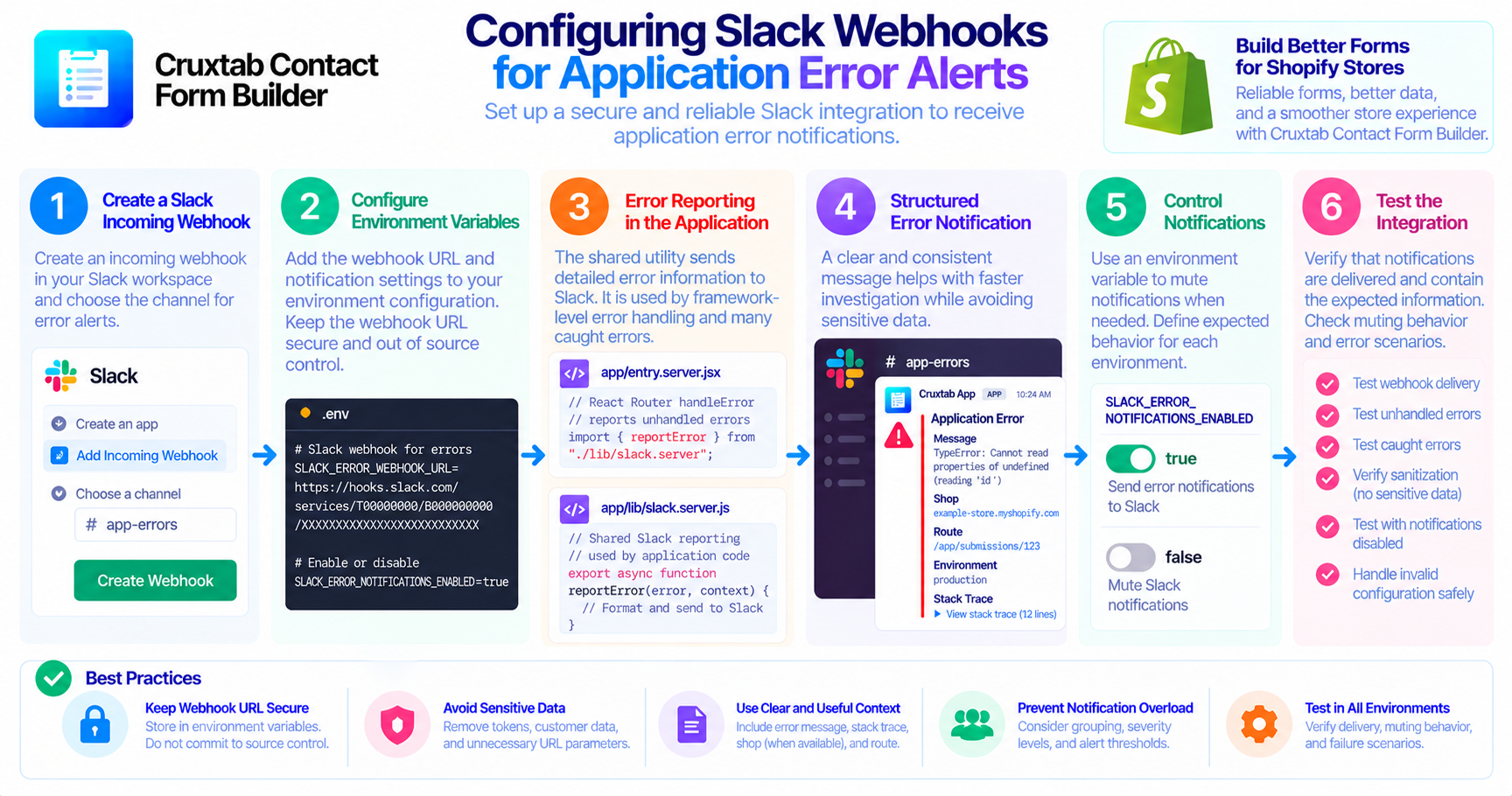
An incoming webhook allows an application to send messages to a configured Slack destination using an HTTP request.
In the Cruxtab Contact Form Builder implementation, the shared reporting utility is located at:
app/lib/slack.server.js
The server entry point app/entry.server.jsx is involved in reporting unhandled React Router errors. The same reporting utility supports many caught errors elsewhere in the application.
This separation keeps the Slack-specific reporting logic in a shared server-side location.
Configure the webhook securely
The integration uses the environment variable:
SLACK_ERROR_WEBHOOK_URL
The webhook URL should be treated as a secret. It should not be committed to source control, rendered into storefront JavaScript, or included in public error messages.
For local development, staging, and production, configure the appropriate value in each environment's secret-management mechanism.
If a webhook URL is accidentally exposed, follow the applicable Slack procedures to revoke or rotate it.
Control notification delivery
The implementation also supports:
SLACK_ERROR_NOTIFICATIONS_ENABLED=false
This setting mutes Slack error notifications when configured to that value.
Document the expected behavior for each environment. For example, a team may choose to enable alerts in staging and production while muting them during noisy local development. The exact configuration is a deployment decision, not an assumption about the application's current environment settings.
Also verify the behavior when the variable is absent, because that depends on how the utility interprets its configuration.
Prevent notification overload
Not every error needs a Slack message. A repeated failure can generate enough notifications to bury an unrelated and more important incident.
Potential improvements to consider include grouping duplicate errors, adding severity levels, and defining alert thresholds. These should be presented as future enhancements unless they are already implemented.
At a minimum, error messages should help developers determine what failed and where to investigate.
Test the configuration
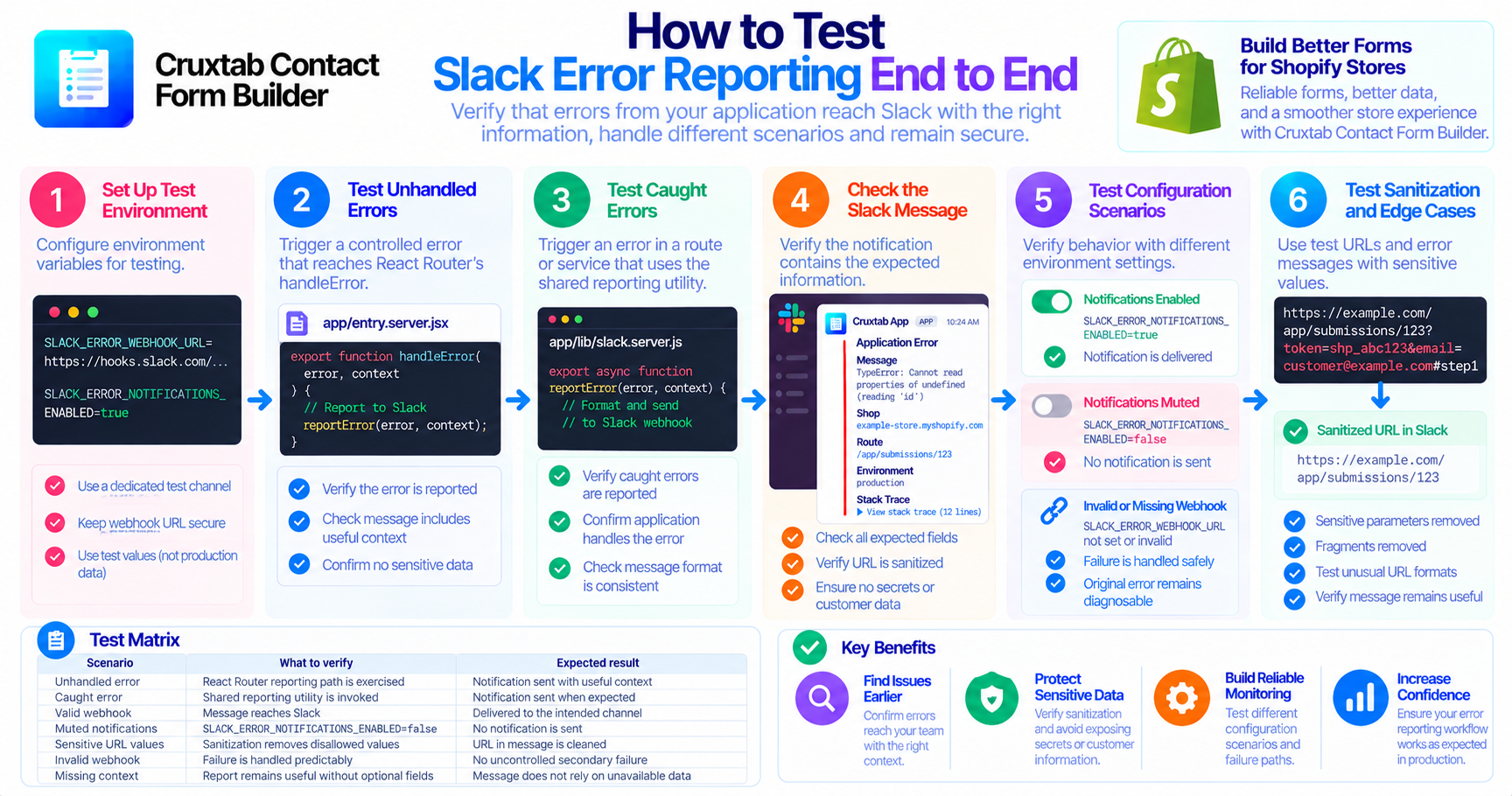
Before relying on Slack alerts in production, verify the following:
- The configured webhook delivers a test notification to the intended channel.
- An unhandled error follows the expected reporting path.
- A caught error is reported when appropriate.
- Setting
SLACK_ERROR_NOTIFICATIONS_ENABLED=falsemutes notifications as intended. - Missing or invalid configuration does not cause an uncontrolled secondary failure.
- Notification content does not expose secrets or unnecessary customer data.
These checks help distinguish a working integration from a utility that merely exists in the codebase.
Conclusion
Slack incoming webhooks can make application errors easier to discover, but reliability depends on more than creating a webhook. Secure configuration, predictable muting behavior, useful message content, and practical testing all matter.
Learn more about Cruxtab Contact Form Builder, a form-building app for Shopify stores.
Comments
Join the discussionNo comments yet. Be the first to comment.