Building Storefront JSON Endpoints for a Shopify Bundle Builder
When I started building the storefront side of my Shopify Bundle Builder & BYOB app, I knew I didn't want the frontend to depend on a large amount of hardcoded configuration.
A bundle can have multiple steps, selection rules, design settings, limits, and other configuration. The storefront needs that information before it can render the bundle builder properly.
So instead of putting everything directly into the frontend, I created a small JSON API layer using Shopify's App Proxy.
The result is a few storefront endpoints that the bundle builder JavaScript can call when it needs data.
In this post, I'll explain how I structured the first endpoint:
GET /apps/bundle-builder/api/bundle-config?bundleId=
and why this became an important part of the bundle builder architecture.
Why I needed a JSON endpoint
A bundle builder is not really a static page.
For example, a merchant might create a bundle with:
4 steps
Different products in each step
Minimum and maximum selections
Conditional rules
Different bundle discounts
Custom colors and layout settings
The storefront needs to know all of this.
I could have rendered everything directly into Liquid, but that would make the storefront code harder to maintain.
I wanted the JavaScript application to work with a predictable JSON structure instead.
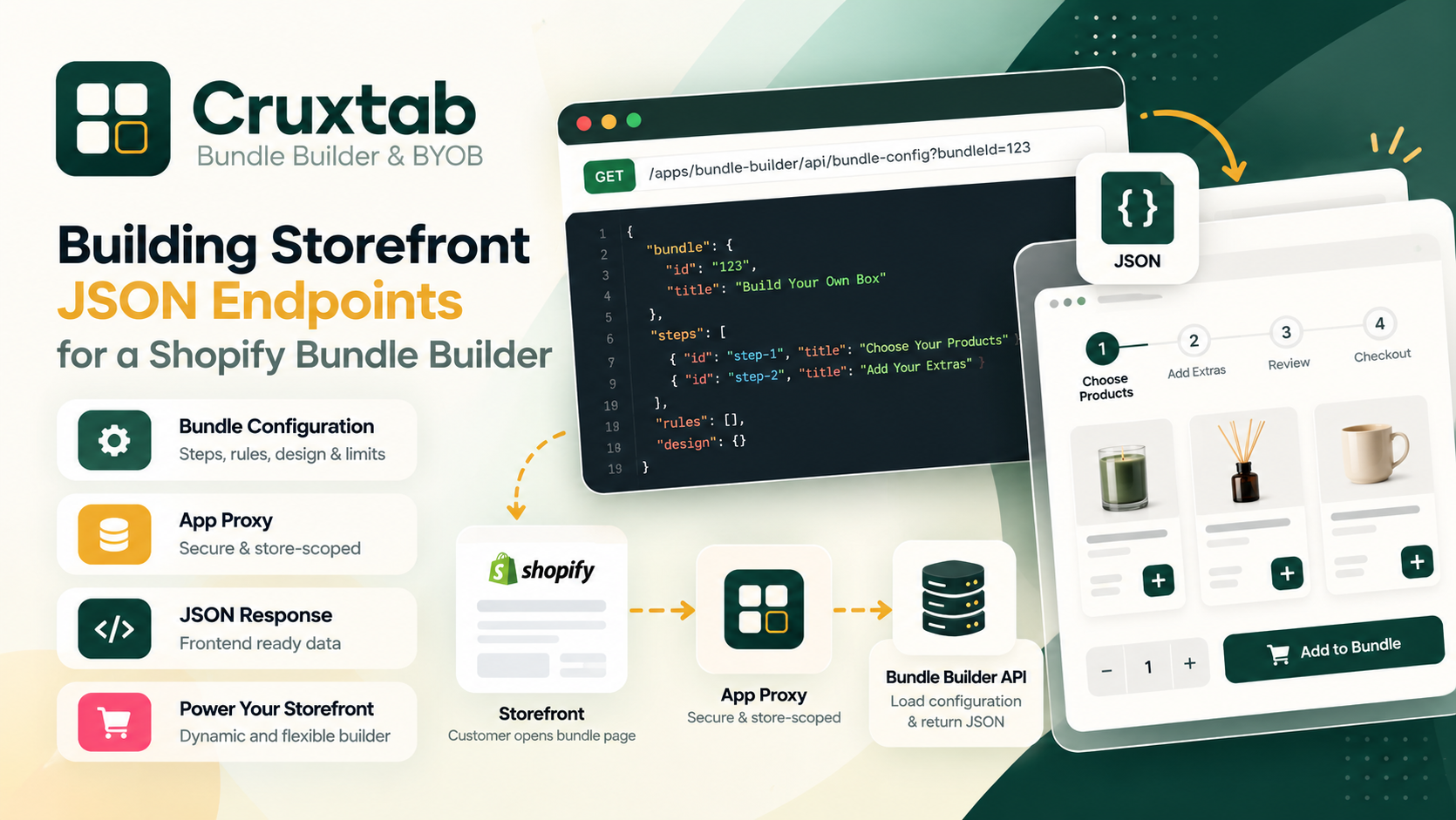
The basic flow looks like this:
Customer opens bundle page
        ↓
Storefront JavaScript
        ↓
GET /apps/bundle-builder/api/bundle-config
        ↓
Shopify App Proxy
        ↓
Bundle Builder backend
        ↓
Load live bundle configuration
        ↓
Return JSON
        ↓
Render bundle builder
This separation makes the frontend much easier to reason about.
The endpoint
The main configuration endpoint is:
GET /apps/bundle-builder/api/bundle-config?bundleId=123
The bundleId identifies the bundle that the customer wants to build.
The important thing here is that the endpoint isn't just returning a bundle title or ID.
It returns the configuration required by the storefront.
I designed the response around three major areas:
Bundle
Steps
Rules
Design
So conceptually, the response looks something like:
{
  "bundle": {
    "id": "123",
    "title": "Build Your Own Box"
  },
  "steps": [
    {
      "id": "step-1",
      "title": "Choose Your Products",
      "products": []
    },
    {
      "id": "step-2",
      "title": "Add Your Extras",
      "products": []
    }
  ],
  "rules": [],
  "design": {}
}
The actual structure can obviously grow as the bundle builder gets more features, but keeping the response organized makes the frontend easier to maintain.
Why I return the complete configuration
One thing I wanted to avoid was making the storefront repeatedly request small pieces of configuration.
For example:
Get bundle
Get steps
Get rules
Get design
Get limits
That creates unnecessary requests and makes the frontend more complicated.
Instead, the configuration endpoint acts as the initial source of truth.
The storefront can make one request:
const response = await fetch(
  `/apps/bundle-builder/api/bundle-config?bundleId=${bundleId}`
);

const config = await response.json();
Then the bundle builder can initialize itself from that object.
Something along these lines:
const config = await loadBundleConfig();

initializeBundleBuilder(config);
I find this approach much easier to work with because the initialization process has a clear starting point.
Keeping the endpoint store-scoped
Since this is a Shopify app, the request needs to be associated with the correct shop.
The endpoint is exposed through Shopify's App Proxy rather than exposing an unrestricted backend URL directly to the browser.
The important part of the request flow is:
Shopify storefront
       ↓
App Proxy
       ↓
Authenticated app request
       ↓
Requested shop
       ↓
Bundle lookup
This means the backend can use the requesting shop when looking up the bundle.
That is especially important for a multi-tenant Shopify app.
I don't want Store A to accidentally receive configuration belonging to Store B.
Loading the bundle
Inside the backend endpoint, the basic responsibility is fairly simple:
1. Receive bundleId
2. Identify requesting shop
3. Find the bundle
4. Verify that it is live
5. Build response object
6. Return JSON
I keep the API handler focused on that responsibility.
Conceptually:
export async function loader({ request }) {
  const url = new URL(request.url);

  const bundleId = url.searchParams.get("bundleId");

  if (!bundleId) {
    return Response.json(
      { error: "bundleId is required" },
      { status: 400 }
    );
  }

  // Resolve requesting shop
  // Load bundle
  // Verify bundle is available
  // Build configuration

  return Response.json(bundleConfig);
}
The exact implementation depends on the application's data layer, but I like keeping the API route itself relatively small.
Handling missing bundle IDs
A simple validation like this saves a surprising amount of debugging later:
const bundleId = url.searchParams.get("bundleId");

if (!bundleId) {
  return Response.json(
    {
      error: "bundleId is required"
    },
    {
      status: 400
    }
  );
}
Without this check, the backend could end up making a database query with an undefined value.
More importantly, the storefront receives a useful error instead of a mysterious failure.
Handling unavailable bundles
A bundle can exist in the database but not necessarily be available to customers.
For example, it could be:
Draft
Disabled
Deleted
No longer live
So I don't treat "bundle exists" as the same thing as "bundle is available."
The API should verify the bundle's current state before returning it to the storefront.
That gives the frontend a much cleaner contract:
Live bundle → return configuration

Unavailable bundle → return an appropriate error
Why JSON works well for the bundle builder
The bundle builder frontend is essentially a small application running inside the Shopify storefront.
It needs structured data.
JSON fits naturally here because JavaScript can consume it directly:
const config = await response.json();
Then I can access things like:
config.bundle
config.steps
config.rules
config.design
This also makes debugging easier.
When something isn't rendering correctly, I can inspect the network request and immediately see what configuration the storefront received.
Separating configuration from rendering
One architectural decision that helped me was keeping configuration separate from UI rendering.
The API doesn't need to know whether I'm using:
React
Vanilla JavaScript
Liquid
Web Components
Its job is simply to provide structured bundle configuration.
The frontend decides how that configuration should be rendered.
For example:
function initializeBundleBuilder(config) {
  renderSteps(config.steps);
  applyRules(config.rules);
  applyDesign(config.design);
}
This separation gives me more flexibility when changing the storefront UI later.
The endpoint file
For this part of the app, the endpoint lives in:
api.bundle-config.jsx
I intentionally keep this route dedicated to retrieving one bundle's configuration.
The other API responsibilities are handled separately.
For example:
api.bundle-config.jsx
        ↓
One bundle's complete configuration

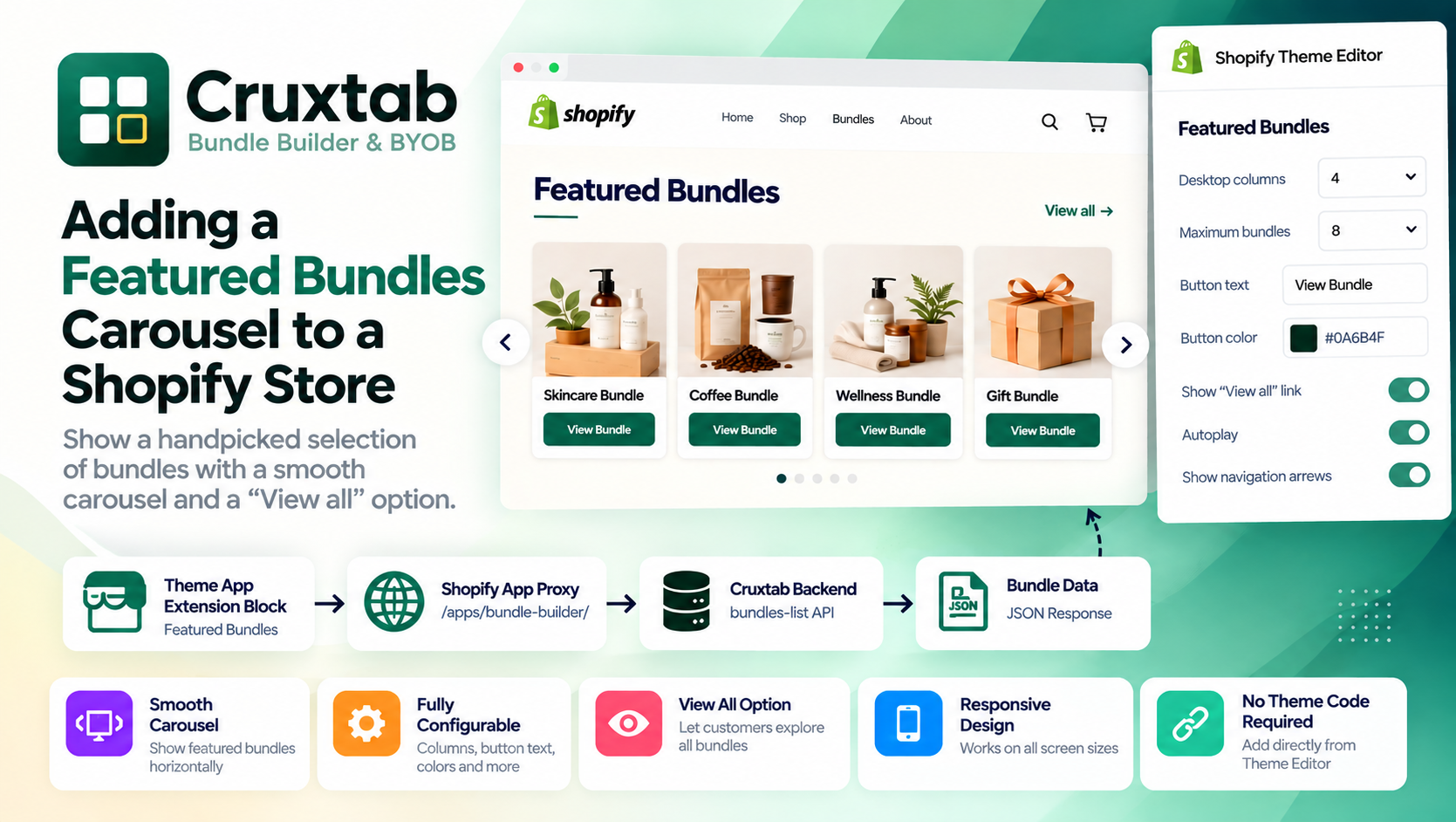
api.bundles-list.jsx
        ↓
List of available bundles

api.analytics.jsx
        ↓
Storefront analytics events
This keeps the API layer from becoming one giant route containing unrelated logic.
What I learned while building it
The biggest lesson for me was that the API contract matters almost as much as the UI.
It is tempting to start with:
return Response.json(databaseResult);
and call it done.
But the database structure and the storefront structure don't necessarily need to be identical.
The storefront needs data organized around what the bundle builder actually needs.
For example:
Database
    ↓
Bundle records
Step records
Rule records
Design records

API
    ↓
Normalized bundle configuration

Frontend
    ↓
Bundle builder UI
That extra API layer gives me a place to shape the data before it reaches the browser.
A simple mental model
The way I currently think about the endpoint is:
The database stores the bundle. The API prepares the bundle. The storefront renders the bundle.
That separation has made the bundle builder much easier to extend.
If I add another configuration option later, I can decide whether it belongs in the API response and then let the frontend consume it.
What's next
The single-bundle configuration endpoint is only one part of the storefront API.
Once there are multiple bundles, the storefront needs a way to discover them without requesting everything at once.
That's where pagination becomes important.
In the next article, I'll look at the endpoint I created for that:
GET /apps/bundle-builder/api/bundles-list?limit=&offset=
It returns a paginated list of live bundles and has a maximum of 50 bundles per request.
That endpoint ended up being useful for keeping the storefront requests predictable instead of loading every bundle in one go.