Backfilling Sequential Identifiers in an Existing Database
Adding a new field to an application is straightforward when every record is created after the feature is introduced.
Existing applications have a different challenge: older records may not contain the new field.
When a Shopify application introduces sequential bundle numbering, previously created bundles need to be considered as well. This is where a backfill script becomes useful.
The problem with introducing a new identifier
Imagine an application that has been storing bundle records for months.
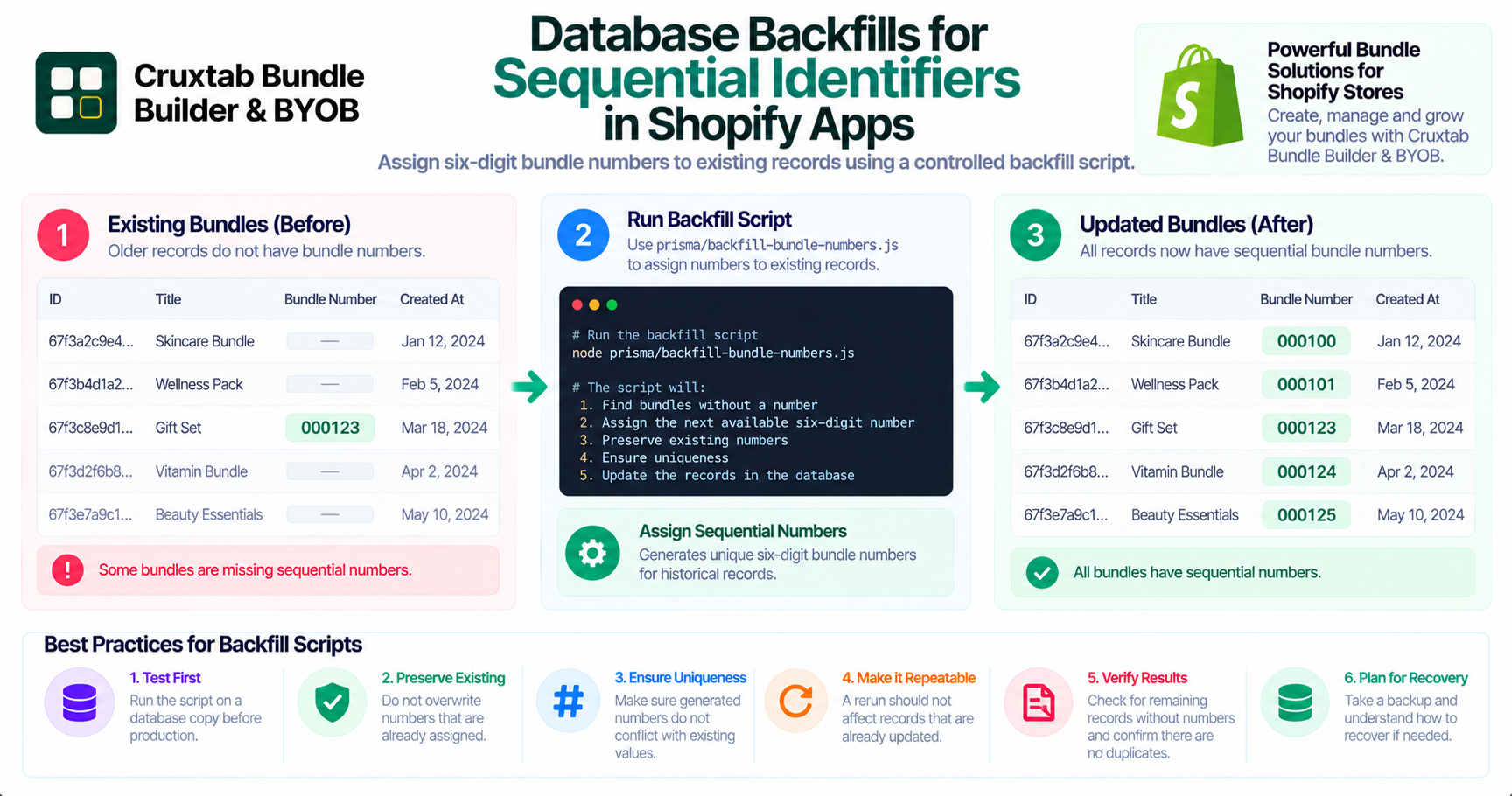
A new requirement introduces a six-digit sequential bundle number used in URLs. New bundles can receive numbers through the updated application logic, but older records were created before that logic existed.
Without a migration strategy, the database may contain a mixture of numbered and unnumbered bundles.
Using a manual backfill script
Cruxtab Bundle Builder includes a manual backfill script:
prisma/backfill-bundle-numbers.js
The script addresses bundles created before sequential numbering was introduced.
This provides a way to update historical records without requiring every older bundle to be recreated.
Why backfills should be deliberate
A backfill modifies existing data, so it should be treated as a data migration rather than an ordinary application request.
Before running a backfill, developers should understand:
- Which records are eligible
- How new values are assigned
- Whether existing values must be preserved
- How uniqueness is enforced
- What happens if the script is interrupted
The exact assignment and execution behavior should be verified from the script itself.
Making backfills safer
Several practices can improve the safety of manual migration scripts.
Test against a copy: Validate the script using a representative database copy before production execution.
Preserve existing values: Avoid overwriting identifiers that have already been assigned unless the migration explicitly requires it.
Check uniqueness: Ensure generated numbers do not conflict with existing values.
Make execution repeatable where possible: A rerun should not unintentionally corrupt records that were already updated.
Verify the result: Count records that still lack numbers and check for duplicate assignments after execution.
Plan for recovery: Take an appropriate backup and understand how to recover if the migration does not complete as expected.
Backfill scripts and application lifecycle
A backfill script is useful when a feature changes the shape or requirements of existing data.
It separates historical data correction from normal application traffic and gives developers a controlled way to prepare existing records for new functionality.
Conclusion
Introducing sequential bundle numbers requires consideration of both new and historical records.
Cruxtab Bundle Builder includes a manual script at prisma/backfill-bundle-numbers.js to address bundles created before numbering existed.
Explore Cruxtab Bundle Builder & BYOB.
Comments
Join the discussionNo comments yet. Be the first to comment.